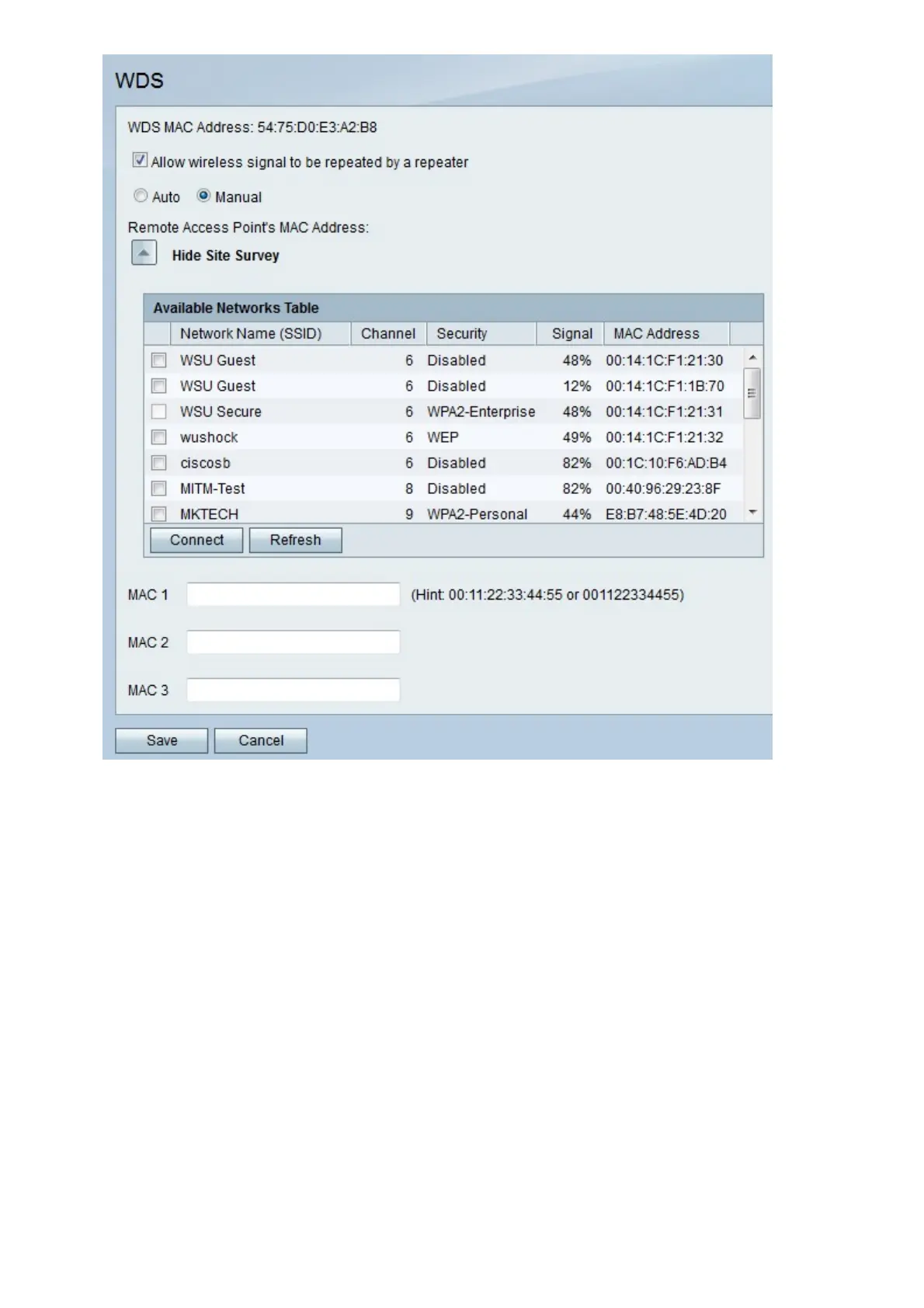
Step 4. (Optional) Click Show Site Survey to view all networks available.
Step 5. (Optional) Click Refresh to update table.
Step 6. (Optional) Check the checkboxes of up to three networks that you want to repeat.
Step 7. (Optional) Click Connect to add the MAC addresses of the three networks to the
MAC address fields.
Step 8. In any empty MAC address field, enter the MAC address of a network to which you
want to connect.
Step 9. Click Save to save changes or Cancel to discard them.


 To Previous Page
 Loading...