B
B
20 21
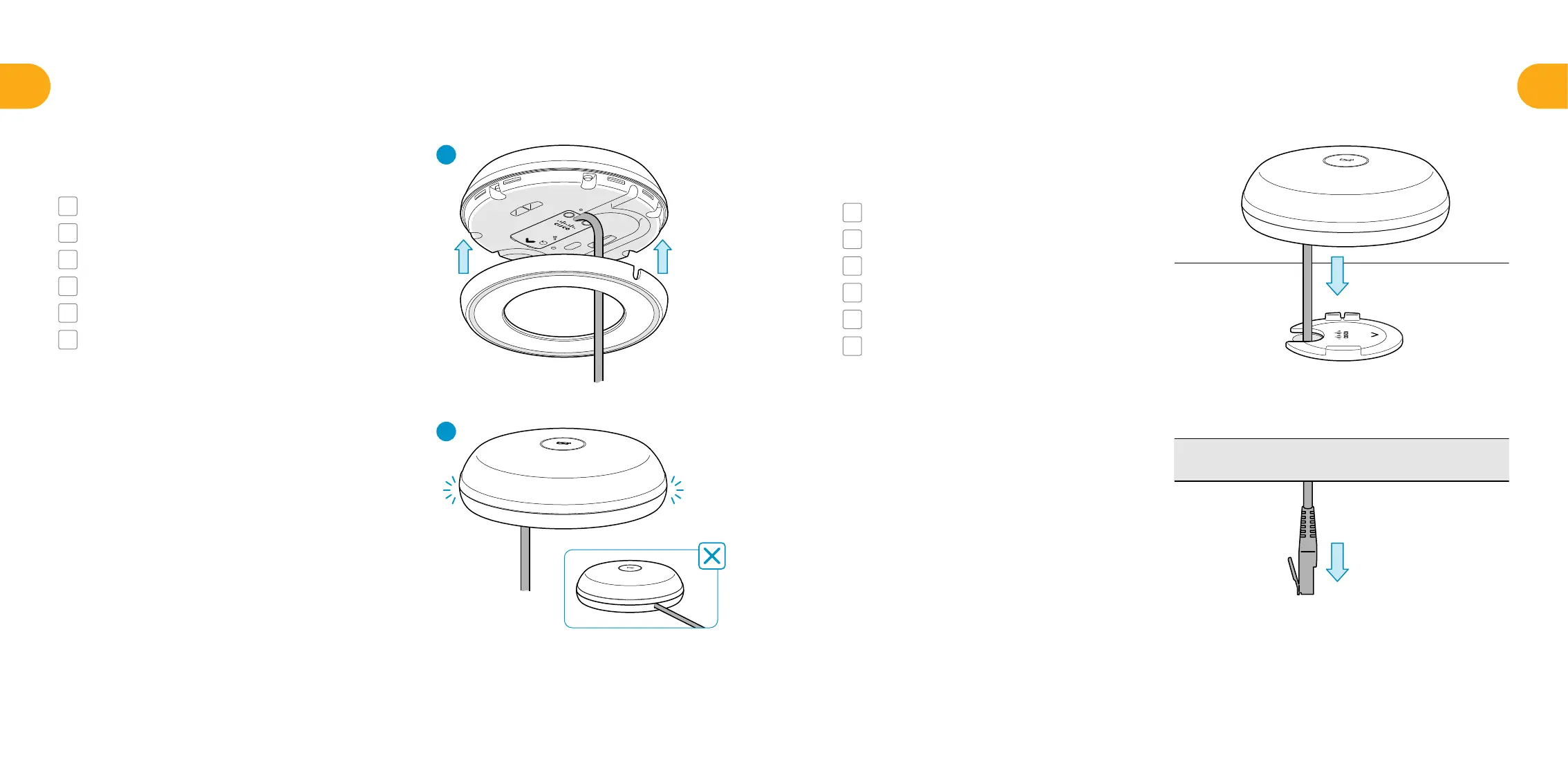
Attach the cable cover.
FR
Fixez le cache-câble.
ES
Coloque la cubierta del cable.
PT
Encaixe a peça de cobertura dos cabos.
IT
Fissare il copricavo.
DE
Befestigen Sie die Kabelabdeckung.
JA
ケーブルカバーを取り付けます。
4
Place microphone on the adapter.
FR
Placez le microphone sur l’adaptateur.
ES
Coloque el micrófono en el adaptador.
PT
Coloque o microfone no adaptador.
IT
Posizionare il microfono sull’adattatore.
DE
Platzieren Sie das Mikrofon auf dem Adapter.
JA
アダプタにマイクを配置します。
5
1
2


 To Next Page