This document is an instruction manual for the Citrea smartwatch, model ID207 mini (also referred to by model numbers X01A-001VY to X01A-006VY). It covers setup, features, specifications, maintenance, and troubleshooting.
Function Description
The Citrea smartwatch is designed to track daily activities and provide various smart features. Its core functions include:
- Activity Tracking: Records daily steps, distance, and calories burnt.
- Health Monitoring: Measures heart rate and blood oxygen levels, and tracks sleep patterns.
- Notifications: Displays alerts for calls and messages from a connected mobile phone.
- Sports Modes: Offers multiple sports modes for tracking exercise, with support for up to 6 hours of continuous exercise at a time.
- Utilities: Includes a stopwatch, alarm, timer, music control, weather display, and a "Find phone" feature.
- Breath Training: Provides guided breath training exercises.
- Watch Faces: Allows customization of the watch face with built-in options, downloadable cloud faces, and personal photos.
Important Technical Specifications
- Model: ID207 mini (X01A-001VY, X01A-002VY, X01A-003VY, X01A-004VY, X01A-005VY, X01A-006VY)
- Screen: 1.5 inch TFT-LCD, Full Screen Touch
- Case Size: 34.5mm x 41.0mm
- Strap Width: 20.0mm
- Product Weight: 30g
- Water Resistant: 3 BAR (Not suitable for diving, swimming, or sauna)
- Operating Temperature: 0°C~45°C
- Range of Charging Temperature: 10℃~45℃
- Rechargeable Battery Life: 6~8 days
- Charging Time: About 2 hours
- Charging Voltage: 5V±0.2V
- Bluetooth Version: Bluetooth 5.1
- Maximum Output Power: 4dBm(0.84mW)
- Maximum Radio-Frequency Power: 2402~2480MHz
- Compatible System: Android 6.0 or above / iOS 9.0 or above
Usage Features
Getting Started:
- Charging: The smartwatch must be connected to a charger to activate it for the first time.
- Wearing: Wear the device a finger's distance from the wrist bone and adjust the strap to a comfortable position. Wearing it too loosely may affect heart rate data accuracy.
App Download and Pairing:
- Download VeryFit App: Scan the provided QR code or download the VeryFit App from the mobile App store. The app is compatible with iOS 9.0+ and Android 6.0+.
- Bluetooth Pairing:
- Turn on Bluetooth and GPS on your mobile phone.
- Open the VeryFit App, navigate to "Device," and select "Add Device."
- Select the product model "ID207 mini" from the search results.
- Tap the icon on the smartwatch screen to complete the binding.
- During binding, VeryFit will prompt to enable GPS and Bluetooth and authorize access.
- iPhone users need to complete Bluetooth pairing in the phone's built-in Bluetooth settings after binding in the app.
- Avoid direct pairing via the phone's Bluetooth settings; use the VeryFit App.
Navigation:
- Push the crown to enter the main menu, which provides access to various functions like Health data, Exercise, Exercise record, Heart rate, Sleep, Blood oxygen, Stress, Breath training, Weather, Music, Stopwatch, Alarm, Timer, Find phone, and Settings.
Watch Face Customization:
- Built-in: Choose from 3 pre-installed watch faces.
- Cloud: Download additional watch faces from the VeryFit App (date supported only in English).
- Photo: Use a personal photo as a watch face via the VeryFit App. This feature allows selecting a photo from the album or taking a new one, and it will display when lifting the wrist or tapping the screen.
Data Synchronization:
- Smartwatch data is synchronized to the mobile phone at least once every 7 days. The smartwatch itself only retains data for the last 7 days.
Bluetooth Connection:
- For functions like call alerts, message alerts, and "Find phone," the mobile phone's Bluetooth must be on and maintained in connection with the smartwatch.
- For counting steps, sleeping, and alarm clock, continuous Bluetooth connection is not required. Data can be synchronized after exercise.
Maintenance Features
- Cleanliness: Keep the product clean.
- Dryness: Keep the product dry.
- Strap Tightness: Do not wear the product too tight.
- Cleaning Agents: Do not use household cleaners. Use soap-free detergent. Alcohol can be used to scrub stubborn stains.
Important Notes and Warnings
- Battery Warning: Do not disassemble, bore, or damage the battery. Do not use sharp objects to remove the battery. Built-in batteries are non-replaceable.
- Health Warning:
- Individuals with pacemakers or other implanted electronic devices should consult a doctor before using the heart rate monitoring strap.
- The optical heart rate sensor glows green and flashes. Individuals with epilepsy or sensitivity to blinking lights should consult a doctor before use.
- Activity data (steps, sleep, distance, heart rate, blood oxygen, calories) are for entertainment and fitness purposes only and may not be completely accurate. They are not intended for medical diagnosis, monitoring, treatment, or prevention of diseases. Heart rate and blood oxygen data are for reference only. Citizen Watch Co. Ltd. is not responsible for consequences from data deviation.
- Cycling Warning: Maintain good judgment and ride safely. Ensure bike and hardware are properly maintained and components are installed correctly.
- Data Loss: Smartwatch data needs to be kept once every 7 days to avoid data loss.
- Waterproof Limitations: The smartwatch is not waterproof against seawater, acidic/alkaline solutions, chemical reagents, or other corrosive liquids.
- Sports Mode Limit: Sports mode supports up to 6 hours of exercise at a time.
- Skin Contact: Avoid wearing the smartwatch too tight. Keep the parts touching the skin dry.
- Heart Rate Measurement: Keep your arm still during heart rate measurement.
- Allergies: Prolonged rubbing and pressure can irritate the skin. Keep the device clean to prevent irritation from sweat and dirt.
- Bluetooth Usage: Bluetooth communication may be monitored. Do not use for important or human-life-related communication. Bluetooth communication technology may not be legally available in all countries/regions.
- Troubleshooting (FAQ):
- App Search Failure: Update VeryFit, close all programs, restart Bluetooth, and ensure phone system meets Android 6.0+ or iOS 9.0+.
- No Alerts/Calls: Turn on SNS Alert and Call Alert in the App, synchronize to smartwatch. iPhone needs Bluetooth pairing. Keep smartwatch connected to Bluetooth.
- Bluetooth Disconnection: Keep the smartwatch close to the mobile phone. Avoid physical shields (human body, metal jewelry) or abnormal phone Bluetooth function.
- Restart/Factory Reset:
- Shutdown: Function > Settings > Restart.
- Factory Reset: Connect smartwatch, Function > Settings > Reset. This will erase all data.
- Regulatory Compliance: The device meets EU RoHS criterion (IEC 62321, EU RoHS Directive 2011/65/EU and revised directive). It also complies with CE/UKCA regulations.
- FCC Compliance: The device complies with FCC rules, Part 15. Users are advised to avoid modifications not approved by the responsible party and to correct interference using specified measures (reorient antenna, increase separation, connect to different outlet, consult technician).
Manufacturer: CITIZEN WATCH CO., LTD. Q&Q SALES DEPARTMENT, 6-1-12, Tanashi-cho, Nishi-Tokyo-shi, Tokyo 188-8511, Japan.

 Need help?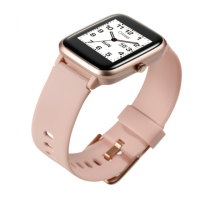

 To Next Page
 General