How To Pair the CZ Smart YouQ App With Your CZ Smart Watch
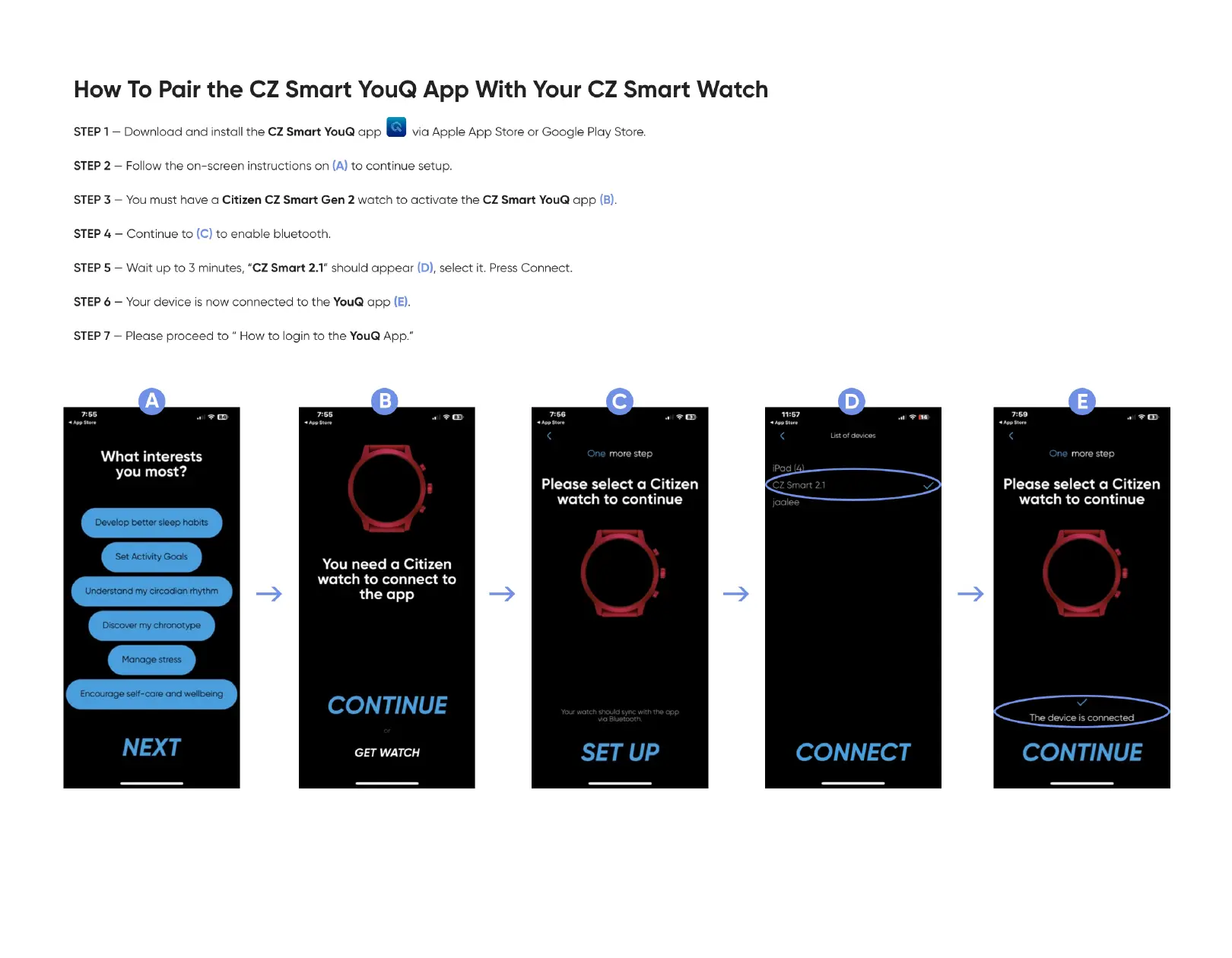
—Download and install the CZ Smart YouQ app via Apple App Store or Google Play Store.
STEP 1
—Follow the on-screen instructions on (A) to continue setup.
STEP 2
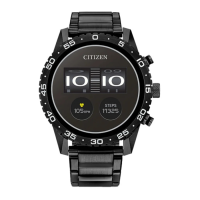
—You must have a Citizen CZ Smart Gen 2 watch to activate the CZ Smart YouQ app (B).
STEP 3
—Continue to (C) to enable bluetooth.
STEP 4
—Wait up to 3 minutes, "CZ Smart 2.1" should appear (D),select it. PressConnect.
STEP 5
Your device is now connected to the YouQ app (E).
STEP 6 —
—Please proceed to " How to login to the YouQ App."
STEP 7
7: SS 11:57
iPad
List Ot
What interests
you most?
Develop better sleep habits
Set Activity Goals
Understand my circadian rhythrn
Discover my chronotype
Manage stress
Encourage self-care and wellbeing
NEXT
You need a Citizen
watch to connect to
the app
CONTINUE
GET WATCH
One rnore step
Please select a Citizen
watch to continue
with
SET UP
CZ Smart 2.1
jaalee
CONNECT
One rnore step
Please select a Citizen
watch to continue
The device is
CONTINUE


 To Next Page