EasyManua.ls Logo

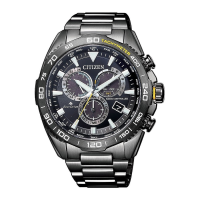
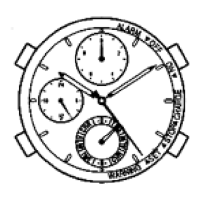
Citizen Eco-Drive Proximity - User Manual

Citizen Eco-Drive Proximity
23 pages
Print Icon
To Next Page IconTo Next Page
Loading...
1/23
User’s guide for
CITIZEN ECO-DRIVE Proximity
→ Pairingyourwatchwithyour
iPhone—rsttimeconnection
→ Disconnecting
→ Reconnecting
→ Whenupdatingtheapp
→ RegisteringanotheriPhone
→ Removingregistration
→ Functions
→ SettingEmailaccounts
→ Stoppingthenoticationindication
→ Whentheconnectioncannotbe
activated
Refer also to the instruction manual of the
watch when registering and connecting with
the watch.

Other manuals for Citizen Eco-Drive Proximity

Questions and Answers

  • A
    Amanda GarrettAug 14, 2025
    How to fix incorrect time and date on my Citizen Eco-Drive Proximity?
    • S
      Sharon DominguezAug 15, 2025
      If the time and date on your Citizen Watch are incorrect, try the following: * Change the mode to [TME]. * Synchronize with the time/date info from your iPhone. * Check the time shown on your iPhone. * Adjust the time and calendar manually. * Check and correct the reference position.
  • A
    Alicia YoderAug 17, 2025
    Why is the second hand on my Citizen Eco-Drive Proximity Watch moving every two seconds?
    • M
      Martin MillerAug 18, 2025
      If the second hand of your Citizen Watch moves once every two seconds, this indicates low power. To resolve this, fully charge the watch.
  • R
    Ricky PhillipsAug 21, 2025
    Why can't my Citizen Eco-Drive Proximity obtain time info automatically?
    • K
      katherineballardAug 21, 2025
      If time info cannot be obtained automatically on your Citizen Watch, try the following: * Ensure your iPhone is within communication distance (5 m / 16-1/2 feet to 10 m / 33 feet) and there are no obstacles between the watch and the iPhone. * Check the connection status; it should be “ON”. * Verify the watch is ready to receive the time info (the mode is set to [TME], [PR] or [CT] and the crown is in position). * Check the status of your iPhone (it should not be in charging or sleep mode).
  • S
    Scott JenkinsAug 25, 2025
    Why do the hands on my Citizen Eco-Drive Proximity rotate rapidly after exposure to light?
    • D
      driveraAug 26, 2025
      If the hands on your Citizen Watch rotate rapidly after exposure to light, the power save function is canceled. Wait until the current time is displayed.
  • C
    Christine SchmidtAug 27, 2025
    Why is the second hand not moving on my Citizen Eco-Drive Proximity Watch?
    • B
      Beverly SandovalAug 28, 2025
      Check the current mode of your Citizen Watch. The second hand does not move in some modes.
  • M
    Matthew VillarrealAug 31, 2025
    What to do if iPhone doesn't sound using iPhone Search on Citizen Eco-Drive Proximity Watch?
    • K
      Kelsey RobbinsAug 31, 2025
      If your iPhone doesn't sound when using the iPhone Search feature on your Citizen Watch, consider the following: * Ensure the “Scan” switch on the app is “ON” and the app is active on your iPhone. * Make sure your iPhone is within communication distance (5 m / 16-1/2 feet to 10 m / 33 feet). * Check if earphones are plugged in. * Verify your iPhone is registered.
  • J
    Jordan JohnsonSep 4, 2025
    Why am I not getting notifications on my Citizen Eco-Drive Proximity Watch?
    • S
      Stephen CunninghamSep 4, 2025
      If you are not receiving notifications within connectable distance on your Citizen Watch, check the following: * Verify the connection status is “ON”. * Check the power reserve. * Ensure your iPhone is not being obscured. * Note that in [302], [CHR] or [CAL] mode, notification is through vibration only. * Turn “ON” the functions on the app’s screen. * Check the setting of mail accounts is “ON” on the app’s screen.
  • T
    Tammy GraySep 7, 2025
    What to do if the second hand on my Citizen Watch indicates “ACT” and doesn't move?
    • C
      clarkrobinSep 7, 2025
      If the second hand on your Citizen Watch remains indicating “ACT” and does not move, it might be due to a pairing or connection failure. Try pulling the crown out to position or, then push it in to position. If this doesn't work, wait for about two or more minutes. If the issue persists, consult an Authorized Citizen service center.
  • P
    phillipsbeverlySep 12, 2025
    Why are the hands on my Citizen Watch moving in an unexpected direction?
    • D
      David NealSep 12, 2025
      Check the current mode of your Citizen Watch.

Summary

Pairing Your Watch with iPhone

Disconnecting Watch from iPhone

Reconnecting Watch to iPhone

Updating the Companion App

Registering a New iPhone

Removing Watch Registration

Watch Functions and Features

Time Sync

Synchronizes watch time and calendar with iPhone.

Incoming Call Alerts

Notifies the watch of incoming calls.

Schedule Alerts

Receives schedule alerts from iPhone Calendar app.

Email Alerts

Notifies the watch of new mail.

Bluetooth Link Loss Alert

Alerts when connection to iPhone is suddenly lost.

iPhone Search Function

Makes the iPhone sound to locate it.

Setting Up Email Accounts

Registering an Email Account

Steps to add a mail account to the app.

Setting Mail Check Frequency

Configures how often the app checks for new mail.

Temporarily Stopping Mail Checks

Disables unread mail checking temporarily.

Email Alerts Without WiFi

Instructions for using email alerts with cellular data.

Deleting an Email Account

Steps to remove a registered mail account.

Stopping Notification Indicators

Troubleshooting Connection Issues

Citizen Eco-Drive Proximity Specifications

General IconGeneral
BrandCitizen
ModelEco-Drive Proximity
CategoryWatch
LanguageEnglish

Related product manuals