EasyManua.ls Logo

Citronic ru210 - User Manual

Citronic ru210
6 pages
Print Icon
To Next Page IconTo Next Page
Loading...
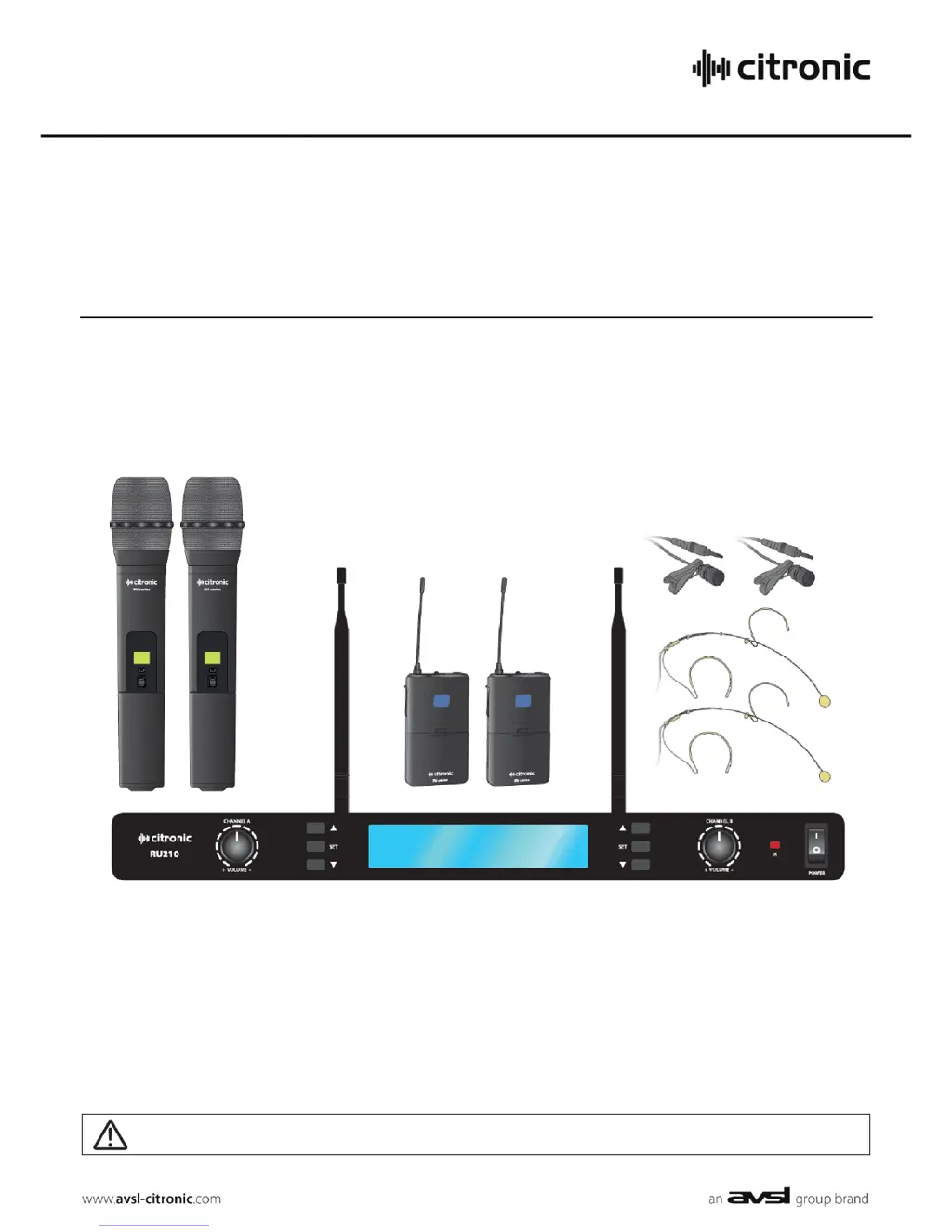
RU210
Dual Multi-UHF Wireless System
Item ref: 171.970UK, 171.971UK
User Manual
Version 1.0
Caution: Please read this manual carefully before operating
Damage caused by misuse is not covered by the warranty

Questions and Answers

  • S
    Sheila AguilarAug 1, 2025
    What to do if all LEDs are lit but no sound from Citronic ru210 Microphone system?
    • H
      Hannah RoblesAug 1, 2025
      If all the LEDs are lit on your Citronic Microphone system receiver but there's no sound from the microphone, verify that the receiver is correctly connected to the amplifier or mixer. Also, check that the volume levels on both the receiver and the amplifier/mixer channel are turned up.
  • C
    christina55Aug 6, 2025
    Why is the microphone output very low on my Citronic ru210 Microphone system?
    • B
      Blake GonzalezAug 6, 2025
      If the microphone output from your Citronic Microphone system is very low, try the following: * Increase the VOLUME on the receiver. * Increase the gain on the mixer or amplifier. * Ensure that the jack output is not connected to a low Z input. * Check the transmitter batteries.
  • S
    Steve BrownAug 11, 2025
    How to fix a very loud or distorted microphone output on a Citronic ru210?
    • J
      James ScottAug 11, 2025
      If the microphone output from your Citronic Microphone system is very loud or distorted: * Turn down the VOLUME on the receiver. * Reduce the Gain on the mixer or amplifier. * Ensure that the XLR output is not connected to a line input.
  • E
    Edward ChapmanAug 16, 2025
    What to do if the power LED is lit but no RF or AF LEDs on Citronic ru210?
    • O
      ohillAug 17, 2025
      If the “POWER” LED is lit on your Citronic Microphone system receiver but the “RF” or “AF” LEDs are not, make sure that: * The transmitter is switched on. * The transmitter is within the reception range. * The transmitter batteries are good or charged. * You are using genuine Citronic RU series transmitters. * The transmitter and receiver frequencies are synced.
  • M
    Michelle WoodAug 21, 2025
    Why do the power and RF LEDs light up, but there's no AF and no sound from my Citronic ru210 Microphone system?
    • D
      Denise HerreraAug 21, 2025
      If the “POWER” and “RF” LEDs are lit but there is no “AF” LED and no sound from your Citronic Microphone system, check that the transmitter switch is not in the “MUTE” position, ensure the transmitter has good or charged batteries, and make sure there are no other nearby transmitters using the same frequency.
  • M
    monicaguzmanAug 27, 2025
    How to troubleshoot if the power LED does not light on Citronic ru210 Microphone system receiver?
    • A
      Aimee MartinAug 27, 2025
      If the “POWER” LED does not light up on your Citronic Microphone system receiver, ensure that the power adapter is properly connected to the mains and is working. Also, ensure that the receiver is switched on.

Summary

Introduction and Safety

Package Contents

Lists all included items in the wireless system package.

General Warning and Safety

Essential safety guidelines and warnings to prevent damage and ensure safe operation of the equipment.

Placement and Cleaning

Advice on optimal positioning and safe cleaning methods for the system components.

Setting Up and Operation

Initial Setup Procedures

Detailed steps for inserting batteries, connecting antennas, and linking cables for system setup.

System Operation Guide

Instructions on powering on, adjusting levels, and basic use of the wireless system.

Tuning and Usage

Frequency and Channel Synchronization

Guide to selecting compatible frequencies and channels between receiver and transmitters via IR sync.

In Use Guidelines

Advice on using the system, mute functions, gain adjustment, and storage.

Specifications and Troubleshooting

Technical Specifications

Detailed technical data including power, frequency, range, dimensions, and weight.

Troubleshooting Common Issues

Solutions for common problems such as no power, no signal, or distorted audio.

Citronic ru210 Specifications

General IconGeneral
Channels2
Microphone TypeDynamic
Battery TypeAA
Battery LifeUp to 8 hours
OutputBalanced XLR, Unbalanced 6.3mm jack
Operating Range60m
Batteries2 x AA per microphone
Frequency Range863.0MHz - 865.0MHz

Related product manuals