EasyManua.ls Logo

CityBug City Bug - User Manual

CityBug City Bug
9 pages
Print Icon
To Next Page IconTo Next Page
Loading...
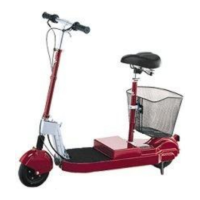
City Bug® Electric Scooter Owner's Manual and Safety
Information.
It is important to read and follow all the instructions and safety information contained
in this Owner's Manual prior to use.
Always wear a helmet
Do not operate at night
Comply with all local laws and regulations
Do not use in wet conditions
Do not ride in off-road conditions Recommended for riders 16 years of age or older
Check all folding locks and releases before use
Ensure battery is properly charged before use
Practice riding the City Bug in a large, open area, free of vehicles, obstacles and
pedestrians
Important Safety Information.
It is important to read and follow the instructions and safety information contained
within this Owner's Manual prior to use.
General Information:
Always wear a helmet when riding.
This product is not a toy. It is not recommended for use by persons younger than 16.
Operators must comply with all local laws and regulations. Check with your local police or
department of motor vehicles to determine local requirements.
Your insurance policy may not provide coverage for accidents involving this product. Contact
your insurance agent.
City Bug requires skill to operate safely. Practice starting, stopping and turning in a large open
area, free of vehicles, obstacles and pedestrians. Only after the operator is competent in the

Questions and Answers

  • M
    Michael DanielsAug 1, 2025
    How to troubleshoot CityBug City Bug when LED lights don't come on?
    • T
      Timothy CastilloAug 1, 2025
      If the key is turned to the 'on' position, but the LED lights do not come on and there is no self-diagnostic test 'beep' tone with your CityBug Scooter, there could be several reasons: * The battery lead is not connected to the motor lead. Connect the battery lead to the motor lead. * The battery wires are not connected. Unzip the battery bag and attach the wires. * The battery has discharged beyond the point of recharging. Replace the battery. * The fuse is not functioning properly. Replace the fuse.
  • W
    williamaveryAug 6, 2025
    Why does the motor of my CityBug Scooter keep running after releasing the throttle?
    • J
      Jessica McdanielAug 6, 2025
      If the motor keeps turning the rear wheel of your CityBug Scooter even after the throttle has been released, it could be due to the throttle not returning to its original position. Try applying the brake, turning off the power, and checking to see whether the throttle is obstructed or stuck. Alternatively, the throttle cable may have extended too far, activating the motor. In this case, lower the handlebar height so that the motor throttle cable is not extended too far.
  • K
    Kimberly BishopAug 10, 2025
    How to align the handlebar with the front wheel on a CityBug Scooter?
    • V
      Vincent BurnettAug 10, 2025
      If the handlebar of your CityBug Scooter is not aligned with the front wheel, the steer tube collar may be loose. To fix this, loosen the bolt on the steer tube collar, align the handlebar with the front wheel, and securely tighten the bolt on the steer tube collar.
  • J
    Jennifer JohnsonAug 15, 2025
    Why does the throttle of my CityBug Scooter have too much lag?
    • S
      Stephanie VillanuevaAug 16, 2025
      If the throttle of your CityBug Scooter has too much lag, the throttle cable might be too loose. Rotate the throttle cable adjuster away from the throttle lever.
  • B
    Blake McbrideAug 21, 2025
    Why is the throttle on my CityBug City Bug Scooter so sensitive?
    • D
      Daniel HansonAug 21, 2025
      If the throttle of your CityBug Scooter is too sensitive, the throttle cable might be too tight. Rotate the throttle cable adjuster towards the throttle lever.
  • R
    Ray WhitakerAug 27, 2025
    Why are the brakes on my CityBug City Bug Scooter too sensitive?
    • M
      Mark ReevesAug 27, 2025
      If the brake on your CityBug Scooter is too strong or too sensitive, the brake cable might be too tight. Rotate the brake cable adjuster towards the brake lever.

Summary

Important Safety Information

General Safety Guidelines

Covers essential safety rules like wearing a helmet, age limits, obeying laws, insurance, and practicing in a safe area.

Assembly and Operation Guide

Scooter and Handlebar Assembly

Steps for assembling the main scooter structure and attaching the handlebar.

Pre-Ride Checklist

A safety checklist before riding, covering battery, brakes, tires, and connections.

How to Ride the Scooter

Step-by-step guide on operating the scooter, including throttle and brake usage.

Battery System and Maintenance

Battery Charging Procedures

Instructions on using the correct charger, connecting, and operating the charging unit.

Warning Lights, Tones, and Troubleshooting

Troubleshooting Common Issues

Provides solutions for common problems, starting with key/power and throttle issues.

CityBug City Bug Specifications

General IconGeneral
Motor Power250 W
Max Speed25 km/h
Max Load100 kg
BatteryLithium-ion
Tire Size8 inches