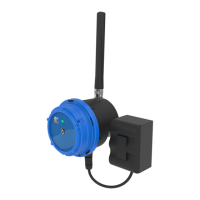
CLA-VAL CV-Log-35
Quick Start Guide
CLA-VAL Europe www.cla-val.ch cla-val@cla-val.ch 2 - CLOG35SE D 07/23
© Copyright CLA-VAL Europe - Specifications subject to change without notice - no contractual illustrations. Reduce your waste - Sort your rubbish
3 PRODUCT CONFIGURATION
1. Activate "Configuration" mode on your CV-Log-35 as indicated in the previous section (from "Acquisition" mode,
press the button for 5 seconds).
2. Connect your smartphone, tablet, or computer to the WiFi network generated by the CV-Log-35.
The network has the default name: Cv-Log-35-< serial number>
The default password is: CVLOG35_< last 4 digits of the series serial number >
We strongly recommend changing the default password at first installation.
Note: The network generated by the CV-Log-35 has no Internet access. Any error messages about this can be ignored.
3. Enter the address http://192.168.4.1 in your usual internet browser, or scan the following QR code using a QR code
reading application:
4. After a few seconds, the configuration interface of your CV-Log-35 will be displayed on the default browser.
5. The home page displays the measured values in real time. It also contains the web browsing menu as well as other useful
information of your CV-Log-35.
Type of sensor
Value in Volts
Input Identification
Input name
Value measured
in real time
General device
information
Navigation menu


 To Next Page
 Loading...