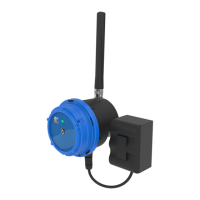
CLA-VAL CV-Log-35
Quick Start Guide
CLA-VAL Europe www.cla-val.ch cla-val@cla-val.ch 4 - CLOG35SE D 07/23
© Copyright CLA-VAL Europe - Specifications subject to change without notice - no contractual illustrations. Reduce your waste - Sort your rubbish
5 LOGGING SETTING
1. Click on " Logging" menu to access the corresponding configuration page.
2. Choose a recording interval. This interval manages the periodic recording of all activated inputs.
3. Click "SAVE" to apply the changes.
6 REGISTER ON LINK2VALVES (COMMUNICATION OPTION)
Link2Valves
TM
is the CLA-VAL web platform (https://cla-val.ch) that allows the remote access to your CV-Log-35.
A Link2Valves account is necessary. Please contact CLA-VAL to get one for free if you don't have it yet.
1. Click on " Connectivity" menu.
2. Under "Data Transfer", choose the "Link2Valves" option.
2.
3.
1.
2.
1.


 To Next Page
 Loading...