Use
14
6.
Use
6.1.
Keypad and display
KEYPAD
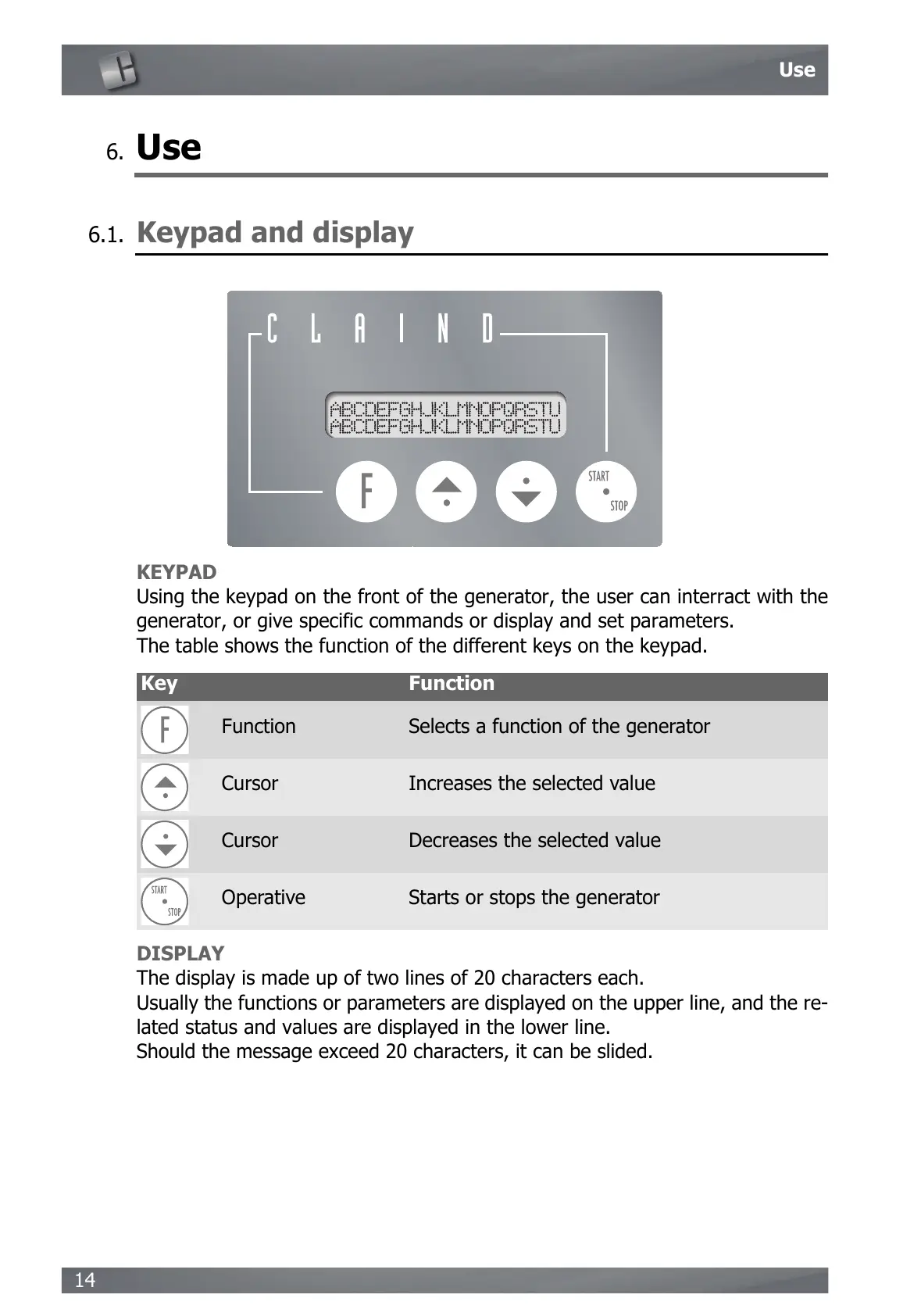
Using the keypad on the front of the generator, the user can interract with the
generator, or give specific commands or display and set parameters.
The table shows the function of the different keys on the keypad.
DISPLAY
The display is made up of two lines of 20 characters each.
Usually the functions or parameters are displayed on the upper line, and the re-
lated status and values are displayed in the lower line.
Should the message exceed 20 characters, it can be slided.
Key Function
Function Selects a function of the generator
Cursor Increases the selected value
Cursor Decreases the selected value
Operative Starts or stops the generator


 To Next Page