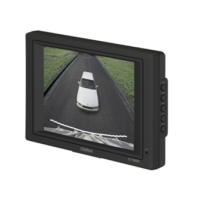
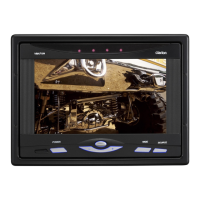
The Clarion CMM-10GR is a marine source unit with an LCD display, designed for use in marine environments. It offers a range of audio sources and controls, making it a versatile hub for onboard entertainment.
Function Description
The CMM-10GR serves as a central control unit for audio in marine settings. It integrates multiple audio sources including AM/FM radio, Bluetooth® streaming, and USB connectivity. The device features a user-friendly interface with a rotary encoder and push-buttons for intuitive control. It allows users to adjust volume, switch between sources, manage audio settings (bass, treble, balance, fader), and access system settings. The unit supports multiple speaker zones and offers preamplifier outputs for expanded audio systems. Its robust design is water-resistant and built to withstand the challenges of a marine environment.
Important Technical Specifications
- Electrical:
- Operating Voltage: 14.4V DC (10V – 16V)
- Operating Temperature: -20°C to +35°C (-4°F to +95°F)
- Current Draw / Fuse Value: 15A (max) / 40mA (standby) / 15A
- Remote Turn-On Output: 500mA
- Display: 2.09-inch TFT LCD backlit
- Tuner (AM/FM):
- FM Tuner:
- USA: 87.9 MHz to 107.9 MHz (0.2 MHz step)
- EUR: 87.50 MHz to 108 MHz (0.05 MHz step)
- AUS: 87.50 MHz to 108 MHz (0.10 MHz step)
- OTHER: 87.50 MHz to 108 MHz (0.05 MHz step)
- AM Tuner:
- USA: 530 kHz to 1710 kHz (10 kHz step)
- EUR: 531 kHz to 1602 kHz (9 kHz step)
- AUS: 531 kHz to 1629 kHz (9 kHz step)
- OTHER: 531 kHz to 1629 kHz (9 kHz step)
- Favorites: Up to 9 FM and 9 AM presets
- Bluetooth®:
- Profile: 5.0
- Core Specification / Codec: Version 2.1 + EDR / SBC
- Connection Range: Up to 11m (35ft)
- USB:
- Interface: USB 2.0 High Speed
- Supported Audio Formats: MP3, WMA, FLAC, WAV
- File Limits: 255 folders, 3,000 files per folder, 9,999 total files
- Charging Output: 1A
- Preamplifier Audio Outputs:
- Output Channels: Two stereo pairs of RCA plugs (1.5V RMS)
- Zone 2 Configuration: Z2 (Rear) or Subwoofer
- Amplified Audio Outputs:
- Rated RMS Power @ 14.4V: 20W x 4 @ 4Ω
- Audio Control Options:
- Tone & Balance: Bass, Treble, Balance, Fader (Zone 1 / Zone 2 or Subwoofer)
- Dimensions:
- Unit W x H x D: 102mm x 102mm x 80mm (4.03in x 4.03in x 3.15in)
- Mounting Hole Ø: 76mm (3in)
- IP Rating: IP66
Usage Features
The CMM-10GR offers a comprehensive set of usage features designed for ease of operation in a marine environment.
Maintenance Features
The manual emphasizes several installation and safety considerations that contribute to the device's longevity and performance, which can be considered maintenance-related.
-
Installation Considerations:
- Professional Installation: Installation requires appropriate tools and safety equipment, and professional installation is recommended.
- Water Resistance: The product is water-resistant but should not be submerged or subjected to high-pressure water spray.
- Power Disconnection: Before installation, turn off the audio system and disconnect the battery from the audio system.
- Ventilation: Install in a dry, well-ventilated location that does not interfere with factory-installed systems. If a dry environment is not available, a location that is not exposed to heavy splashing should be chosen.
- Mounting Surfaces: Before cutting or drilling, check for potential obstacles behind mounting surfaces.
- Wiring: Carefully route all system wiring away from moving parts and sharp edges; secure with cable ties or wire clamps and use grommets and loom where appropriate to protect from sharp edges.
-
FCC Compliance Statement: This device complies with Part 15 of the FCC Rules, ensuring that it does not cause harmful interference and accepts interference received. Any changes or modifications not expressly approved by the party responsible for compliance could void the user's authority to operate the equipment. This implies that maintaining the device in its original configuration is important for compliance and proper function.
-
Safety Considerations:
- Vehicle Use: Only use this product in vehicles with 12V, negative-ground electrical systems.
- Mounting: Mount this product securely to prevent damage or injury in severe conditions.
- Power Fuse: Do not replace the power wire fuse with one of a different value. Never bypass the fuse.
- Audio Levels: Listen to your audio system at levels appropriate for operating conditions and hearing safety.
While the manual does not explicitly detail user-performed maintenance tasks like cleaning or software updates, the emphasis on proper installation, wiring, and adherence to specifications contributes to the overall maintenance and reliability of the device. The IP66 rating indicates a high level of protection against dust and strong jets of water, reducing the need for frequent cleaning of internal components.

 Need help?

 To Next Page
 General