EasyManua.ls Logo

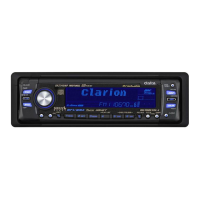
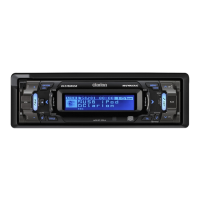
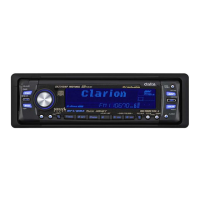
Clarion DXZ745MP - User Manual

Clarion DXZ745MP
4 pages
Print Icon
To Next Page IconTo Next Page
Loading...
Clarion Co., Ltd.
All Rights Reserved. Copyright © 2003: Clarion Co., Ltd.
Printed in China / Imprimé en Chine / Impreso en China
2003/12
PE-2619B
280-8000-00
AM / FM CD / MP3 / WMA PLAYER
RADIO AM/FM-LECTEUR CD/MP3/WMA
REPRODUCTOR DE AM/FM CD/MP3/WMA
DXZ745MP
Owner’s manual
Mode d’emploi
Manual de instrucciones
+DXZ745MP-001-cover 11/17/03, 5:02 PM1

Other manuals for Clarion DXZ745MP

Questions and Answers

  • K
    Kristy CookAug 14, 2025
    Why does my Clarion DXZ745MP Car Receiver power not turn on?
    • C
      christopher24Aug 14, 2025
      Your Clarion Car Receiver might not be turning on because the fuse is blown. Replace it with a fuse of the same amperage. Another cause could be incorrect wiring. Refer to the Installation/Wire connection Guide and ensure proper wiring.
  • M
    Michelle LongAug 18, 2025
    What to do if my Clarion Car Receiver has no sound?
    • J
      James MataAug 18, 2025
      If you are not hearing any sound from your Clarion Car Receiver, it could be due to several reasons: * The speaker protection circuit might be operating. Try turning down the sound volume or turning the power off and on again. * If you're playing from a disc, ensure that MP3/WMA files are written onto the disc properly and encoded correctly. * The file system should be ISO9660 level 1, 2, JOLIET, or Romeo.
  • M
    Michael ShawAug 21, 2025
    What to do if buttons on my Clarion Car Receiver don't work?
    • Z
      Zachary Williams IIAug 21, 2025
      If the buttons on your Clarion Car Receiver aren't working, it may be due to a microprocessor malfunction. Turn off the power, then press the Reset button and remove the DCP. Press the reset button for about 2 seconds using a thin rod. Alternatively, the DCP or main unit connectors might be dirty. Clean them with a soft cloth moistened with cleaning alcohol.
  • S
    Sheila MartinezAug 25, 2025
    Why is my Clarion DXZ745MP sound skipping?
    • S
      Stephen FordAug 26, 2025
      If the sound from your Clarion Car Receiver is skipping or noisy, the disc may be dirty. Clean it with a soft cloth. It could also be that the disc is heavily scratched or warped; in this case, replace it with a disc that has no scratches.
  • D
    Deborah CarterAug 27, 2025
    Why is the sound bad on my Clarion DXZ745MP after turning it on?
    • P
      Paul BowmanAug 27, 2025
      If the sound quality of your Clarion Car Receiver is poor immediately after turning it on, water droplets may have formed on the internal lens due to humidity. Let the unit dry for about 1 hour with the power on.
  • K
    Kimberly MooreAug 31, 2025
    Why is sound cut or skipped on my Clarion DXZ745MP Car Receiver?
    • Z
      zboydAug 31, 2025
      If the sound from your Clarion Car Receiver is being cut, skipped, or mixed with noise, the MP3/WMA files may not be encoded properly. Ensure that you are using MP3/WMA files encoded correctly.
  • S
    Sabrina MorrisonSep 3, 2025
    What to do if my Clarion DXZ745MP Car Receiver has no sound with amplifiers?
    • S
      stronglarrySep 3, 2025
      If you're not getting any sound output from your Clarion Car Receiver when using amplifiers or a power antenna, the power antenna lead may be shorted to ground, or excessive current may be required. To resolve this: 1. Turn the unit off. 2. Remove all wires attached to the power antenna lead and check for shorts to ground using an ohm meter. 3. Turn the unit back on. 4. Reconnect each amplifier remote wire to the power antenna lead one by one. If the amplifiers turn off before all wires are attached, use an external relay to provide remote-on voltage.
  • S
    Steven WilliamsSep 7, 2025
    Why does my Clarion DXZ745MP show the wrong filename?
    • L
      Latasha RileySep 7, 2025
      If your Clarion Car Receiver is displaying the wrong filename, the file system may not be correct. Ensure you are using ISO9660 level 1, 2, JOLIET, or Romeo file system.
  • M
    Mike WashingtonSep 10, 2025
    Why is play list play not performed on my Clarion DXZ745MP Car Receiver?
    • J
      Joseph YoungSep 10, 2025
      If playlist playback isn't working on your Clarion Car Receiver, the file name or extension may be incorrect. Use alphanumeric/ASCII characters for MP3/WMA file names, and use ".M3U" for the file extension of a playlist.

Summary

Product Features Overview

Safety Precautions and Warnings

Motorized Faceplate Safety

Instructions for safe operation and closing of the motorized faceplate to prevent injury.

Compact Disc Handling and Care

Guidelines for handling, storing, and cleaning compact discs to ensure optimal performance and prevent damage.

Controls and Operations

Button Functions and Layout

Detailed description of each button's function and its role in unit operation.

External Device Control Operations

Explanation of how unit controls function when connected to external equipment like CD changers or Sirius.

Clarion DXZ745MP Specifications

General IconGeneral
TunerAM/FM
CD PlayerYes
MP3 PlaybackYes
WMA PlaybackYes
AAC PlaybackNo
USB PortNo
Aux InputYes
BluetoothNo
DisplayLCD
EqualizerYes
RCA OutputsYes
DIN Size1 DIN
Faceplate SecurityDetachable
CD-R PlaybackYes
CD-RW PlaybackYes
Display TypeLCD
Preamp OutputsYes
Number of Preamp Outputs3
Preamp Voltage4 V
EQ Bands5
Tuner BandsFM/AM
RDSYes
Remote ControlYes
Power Output50 Watts x 4
RMS Power Output22W x 4

Related product manuals