
 Need help?
Do you have a question about the Clarity RetCam3 and is the answer not in the manual?
Describes the approved medical uses and applications for the RetCam system.
Lists conditions or situations where the RetCam system should not be used.
Provides critical safety information and potential hazards associated with system use.
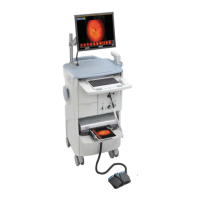
Details the physical components and architecture of the RetCam 3 system.
Describes the primary functional parts of the RetCam 3 imaging system.
Outlines safety standards, precautions, and compliance for electrical operation.
Details the physical components and architecture of the RetCam Shuttle system.
Essential safety guidelines and precautions for operating any RetCam system.
Explains the meaning and significance of various labels and icons on the system.
Guides on setting up the system to work with the RCRS software.
Explains how specific software functions are controlled via the RCRS application.
Step-by-step instructions for creating new user profiles and access credentials.
Process for organizing and managing patient data within the system's domain structure.
Method to verify if the RetCam system is set up for RCRS synchronization.
Procedure for transferring and synchronizing data between the RetCam system and RCRS.
Steps to resolve data conflicts that may arise during synchronization.
Instructions for freeing up disk space by deleting files from the system.
Steps to set up and initialize the RetCam 3 system for operation.
Steps to set up and initialize the RetCam Shuttle system for operation.
How to add, edit, search, and manage patient data within the system.
Detailed instructions for capturing images and videos during patient examinations.
Overview of useful software functionalities that enhance workflow.
How to modify imaging settings while an exam is in progress.
Process for documenting observations and information related to patient exams.
Procedure for safely shutting down the RetCam 3 system.
Procedure for safely shutting down the RetCam Shuttle system.
Interface for viewing and analyzing images acquired during an exam.
Functionality allowing side-by-side comparison of multiple images.
Tools for enhancing and modifying the display of captured images.
Recommendations and procedures for creating data backups for long-term storage.
Process for transferring patient data and images from the system to external locations.
Process for transferring patient data and images from external sources onto the system.
Instructions on how to print acquired images and generated reports.
Lists necessary consumables and accessories for system operation.
Displays detailed information about the RetCam software version and system configuration.
Process for assigning a name and entering the serial number for the system device.
Manages patient and exam data organization within institutional domains.
Allows adjustment of video file size and related settings for live imaging.
Setting up default configurations for new patient exams.
Customizing system alerts, messages, and log file settings.
Setting default printers for imaging and report generation.
Configuration steps for enabling data sync with the RetCam Review Software (RCRS).
Adjusting operating system settings like date, time, and display.
Explains the underlying principles and mechanism of Fluorescein Angiography imaging.
Step-by-step guide for performing imaging using the FA feature.
Information relevant to physicians regarding ROP screening protocols and use.
Specifies the medical conditions and patient types for which ROP screening is indicated.
Lists conditions under which ROP screening with the RetCam is not advised.
Safety precautions specific to performing ROP screening.
Steps and considerations before performing ROP screening exams.
Guidelines and best practices for conducting ROP examinations.
Details the methodology and findings of ROP screening studies.
Study results, including accuracy and sensitivity metrics for ROP screening.
Evaluation criteria and findings regarding the technical quality of captured ROP images.
Information on the mandatory training programs for RetCam users.
Describes how the RetCam system captures and stores retinal images.
Identifies potential risks during system use and recommended mitigation steps.
Outlines routine tasks for keeping the system in optimal condition.
Detailed instructions for cleaning various parts of the RetCam system.
Guidance on the proper disposal of waste materials according to regulations.
Procedures for checking cables and connections for safety and integrity.
Step-by-step guide for replacing blown fuses in the RetCam 3 system.
Procedure for replacing the illumination lamp in the RetCam 3 system.
Step-by-step guide for replacing blown fuses in the RetCam Shuttle system.
Procedure for replacing the illumination lamp in the RetCam Shuttle system.
Process for validating system software licenses, especially after hardware or software changes.
Contact information and resources for obtaining assistance with the RetCam system.
Detailed technical data for the RetCam 3 system.
Specifications for physical dimensions, weight, and electrical needs of RetCam 3.
Software prerequisites for operating the RetCam 3 system.
Operating, storage, and transport conditions for the RetCam 3.
Detailed technical data for the RetCam Shuttle system.
Specifications for physical dimensions, weight, and electrical needs of RetCam Shuttle.
Software prerequisites for operating the RetCam Shuttle system.
Operating, storage, and transport conditions for the RetCam Shuttle.
Legal terms governing the use and distribution of Clarity's software.
The legal agreement for using the RetCam system's software.
 General
| Type | Retinal Camera |
|---|---|
| Light Source | LED |
| Connectivity | USB |
| Image Sensor | CMOS |
| Power Requirements | 100-240 VAC, 50/60 Hz |
| Field of View | 130 degrees |
| Image Capture | Digital |
| Focus | Auto and Manual |
| Data Transfer | Via USB to computer |
| Weight | 0.5 kg |
| Power | AC Power |
| Display | Built-in LCD |
| Capture Modes | Still images, video |
| Intended Use | Retinal imaging |

 To Next Page
