5
English
Instructions for use
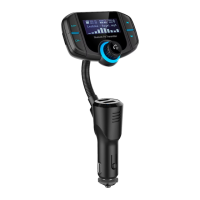
Connect theFM transmitter to thecar radio
1. Insert theplug into the12 V socket outlet of thecar.
2. Select avacant radio frequency and set thesame
frequency on theFM transmitter with the [ CH− ]/[ CH+ ]
buttons.
Connect anexternal device to
theFM transmitter
Via Bluetooth
1. If you use Bluetooth for thefirst time theexternal
device must be paired with theFM Transmitter.
2. Activate Bluetooth on thedevice to be paired and
begin scanning for Bluetooth devices.
3. Select BT70 from thelist, you may need to enter PIN
Code 0000. Certain devices may also require you to
approve theconnection.
4. When theconnection has been successful thename
of theexternal device will appear on thedisplay of
theFM Transmitter.
5. Start playback on your Bluetooth device, thename of
thetrack will be presented on thedisplay.
6. You can control playback from your external device or
from theFM-Transmitter, use thebuttons [
]/[ ] (5)
to browse between tracks and [
] (6) to pause,
play or adjust thevolume.
Via AUX IN
TheAUX socket works both as aline-in (audio input)
and line-out (audio output)
Line-in
1. Connect theincluded audio cable to theFM Transmitters
AUX socket (7) and to theexternal device on which
Bluetooth is turned off.
2. Start and control playback from theexternal device.


 To Next Page