6
English
Line-out
Can be used if your car radio has aline-in socket or to
another active speaker.
1. Connect theincluded audio cable to theAUX socket (7)
on theFM Transmitter and to theline-in socket of
thecar radio.
2. Connect theexternal device to theFM Transmitter
via Bluetooth.
3. Control playback from theexternal device or from
theFM transmitter.
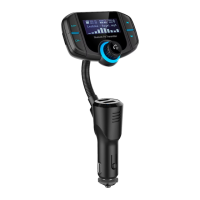
Multi-function button
• Various button pushes control answering/ending calls
and play/pause during playback.
• Twist thebutton knob to theleft or right to increase or
decrease thevolume.
Managing calls with aBluetooth
connected device
1. Press in themulti-function knob [ ] (6) to answer
and end calls that have been received.
2. Make acall as you would normally using your mobile
phone. TheFM transmitter in combination with thein-
car speakers now works like aspeakerphone.
Playing MP3 files from amemory card
1. Insert amemory card (MicroSD, max 32 GB) with
thecontacts facing towards you into thecard slot (1)
on theleft side of theFM transmitter.
2. TheMP3 files on thememory card will be played
automatically when theFM transmitter makes contact
with thememory card, thename of thetrack is
presented on thedisplay.
3. You can control playback from theFM-Transmitter,
use thebuttons [
]/[ ] (5) to browse between tracks
and [
] (6) to pause, play or adjust thevolume.


 To Next Page