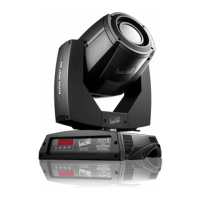
STORMY C71090
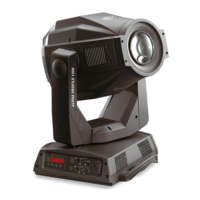
STORMY CC C71091
OPTIONS - DISPLAY
The enabled DISPLAY option (ON) allows to reduce the display backlight on the machine, after a 30 seconds
in standby mode. To restart is enough to press any key. Select OFF to disable this option.
OPTIONS - SETTING
It allows to save in the machine memory 3 different settings of the options menu items and its submenus:
• User preset 1
• User preset 2
• User preset 3
- Load preset 1, 2 o 3: It is used to display a previously confguration saved by the user.
- Save to preset 1, 2 o 3: It is used to save the current confguration set by the user.
• Default preset
It allows to reset to the default values (factory settings) on all the voices of the option menu and of the
related submenus.
5.3 INFORMATION MENU
INFORMATION MENU - SYSTEM VERSION
It allows to display the rmware/hardware versions of installed machine components:
Strobe rmware: Strobe application rmware
Boot rmware: Safety software
Driver rmware: Driver application rmware
CPU board: Hardware revision of CPU Board
CPU SN: Serial number of CPU Board
INFORMATION MENU - DRIVER DIAGNOSTIC - LED TEMPERATURE
It allows to display some details about the functionality of the card/cards and LEDs:
• Current: Instantly detected operating temperature
• Maximum: Maximum detected temperature
• Minimum: Minimum detected temperature
INFORMATION MENU - DRIVER DIAGNOSTIC - DRIVER TEMPERATURE
It allows to view some details about the functionality of the driver card for LED:
• Current: Instantly detected operating temperature
• Maximum: Maximum detected temperature
• Minimum: Minimum detected temperature
INFORMATION MENU - DRIVER DIAGNOSTIC - LED CHANNEL
It displays the diagnostics from the driver card: for each of the 4 channels a SYSTEM information and
a ERROR information is reported (the decoding is specifed in the driver’s specifcations).


 To Next Page