Chapter 2: Getting Started 11
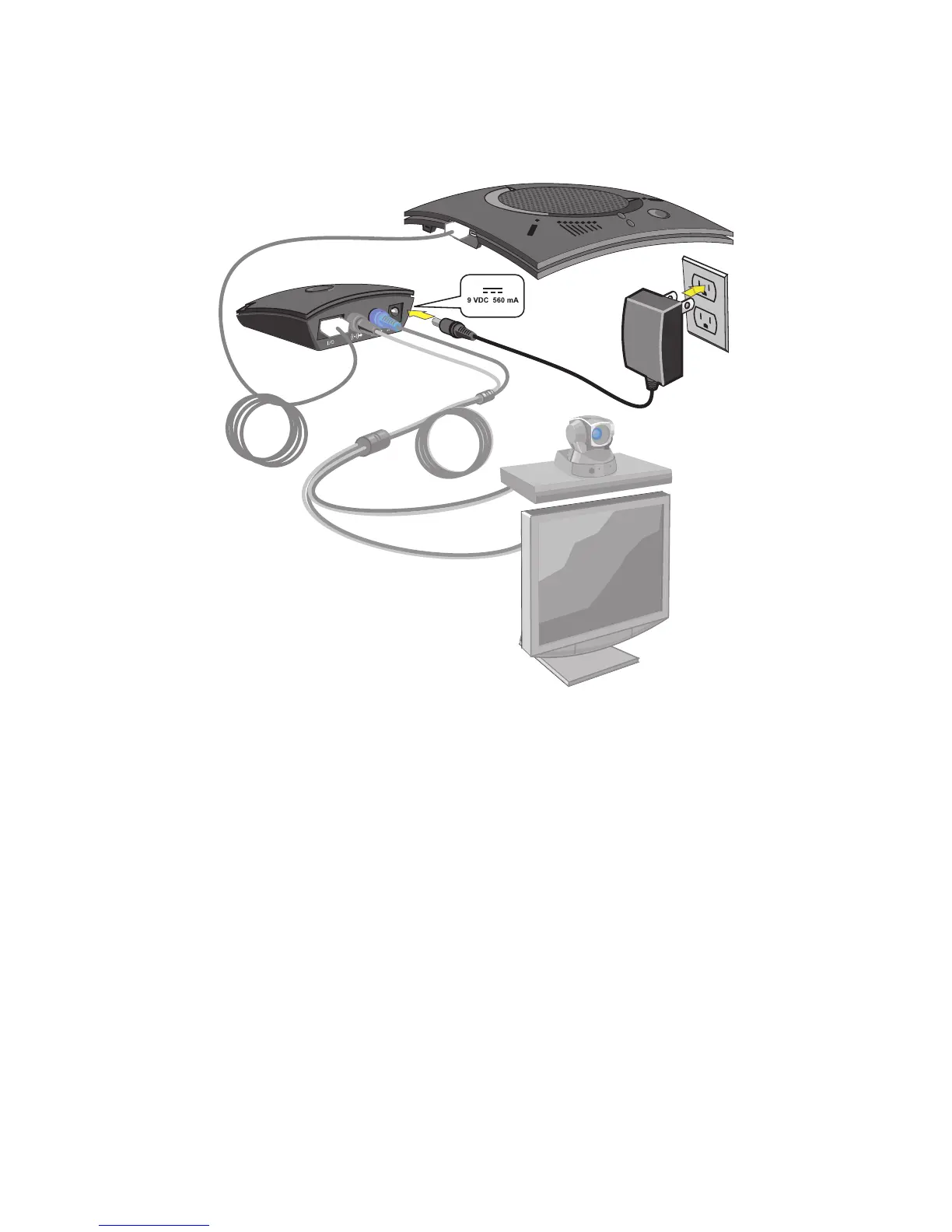
4. Using the included power supply, connect the CHAT 150 VC Breakout Box to a power outlet.
5. The blue LED indicators on the CHAT 150 illuminate, and the LED power indicator on the VC Breakout Box
illuminates, indicating that the CHAT 150 is powered and ready for use.
6. Next, connect the CHAT 150 to your PC (or USB device). This will allow you to use the CHAT software to configure
the CHAT 150 for use with your video conference system. Refer to Connecting to a PC section earlier in this
chapter.



 To Next Page