Set-To p
Converter
Box
Installation
Attention
Read Installation Instructions
Before Permanently
Mounting Antenna
1. CONNECTING ANTENNA TO A TV WITH A
DIGITAL TUNER: Attach the coax cable,
which is the small black cable coming
from the antenna. Simply screw the
connector into the ANTENNA IN or CABLE
IN port on the back of your television.
2. AUTO PROGRAM SCAN: Using your TV’s
remote control, navigate to the system
menu and set the TV’s input to ANTENNA.
Then begin an auto search or auto program
to nd new stations.
3. ADJUSTING ANTENNA LOCATION: To
maximize the number of stations, you may
need to adjust or reposition the antenna.
Try placement in alternate locations and
re-scan for new channels. We recommend
Clear TV be used within 35 miles of the
broadcasting towers.
1. ClearTV Digital HDTV Antenna is intended
for indoor use only.
2. The location of the antenna is important
to maximize signal strength.The antenna
should be kept far from any disturbance
source, big electrical appliances like air
conditioners, elevator, washing machine,
blower or microwave oven, etc.
3. Window mounting results in the best
performance. The incoming near signals
will not be downgraded by objects in the
home, ofce or vehicle. Please ensure
the antenna is not blocked by aluminum
or metallic screening as this will degrade
incoming signals.
4. Be sure to hang the antenna vertically with
the cable on the bottom.
5. Maintenance of antenna: please use soft
cloth with diluted mild detergent to clean
its shell.
INCLUDED IN PACKAGE:
Before you begin installation,
please check contents:
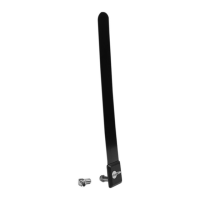
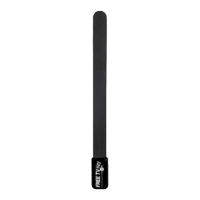
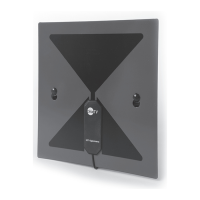
1. Antenna main unit
2. Male coaxial cable mount
3. Double-Sided Adhesive
PRODUCT FEATURES:
Stylish and compact
size design
Shielded for minimum
interference
Specially compatible
with HDTV
TECHNICAL DATA:
Frequency range: VHF174-
230MHz
UHF470-862MHz
Gain: 0~3dBi
Receiving Range: FM/VHF/UHF
Impedance: 75Ω
CONNECTING ANTENNA TO A TV WITHOUT
A DIGITAL TUNER: Attach the coax cable,
which is the small black cable coming from
the antenna. Simply screw the connector
into the ANTENNA IN or CABLE IN port
on the back of your set-top converter box
and then connect your set-top converter
box to your television.
CLEAR TV
ANTENNA
COAX CABLE
CONNECTOR
STANDARD 75 ohm
COAX CONNECTION
ANT IN

 Need help?
 General

 To Next Page