8
o Instructions are in the “Quick Tips / Resetting your Admin Password” section of the Online
User Guide. Click here to jump to the Quick Tips section for more information and
instructions.
• Use the “Device Setup / Reset Device” Tab of the CLEAR Hub Express Home Page.
o Instructions are in the “Manage Your CLEAR Hub Express / Device Setup / Reset Device”
section of the Online User Guide. Click here to jump to the Manage Your CLEAR Hub
Express section for more information and instructions.
Manage your CLEAR Hub Express
CLEAR Hub Express Home Page Overview
It’s easy to manage your CLEAR Hub Express. With the CLEAR Hub Express Home Page, you can:
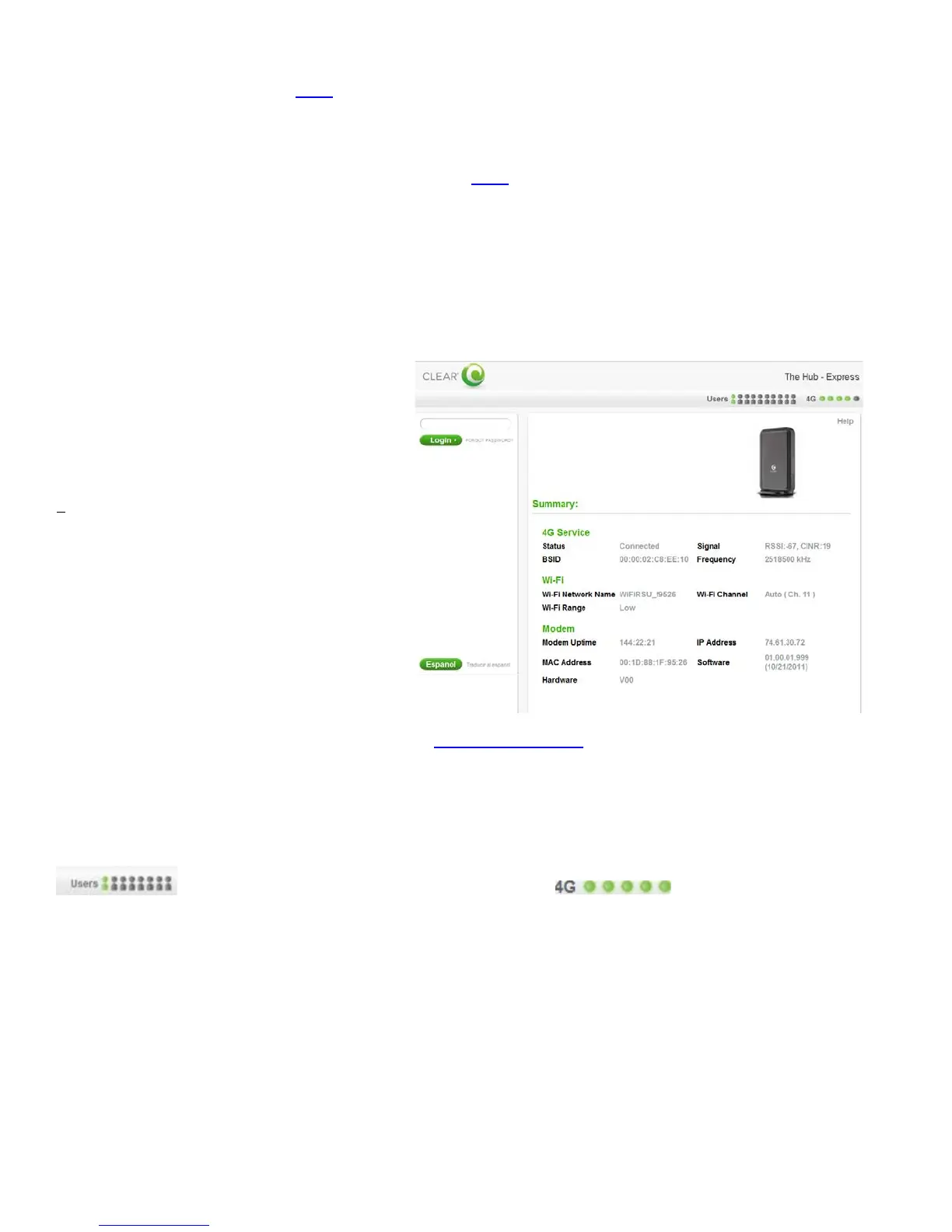
When using your CLEAR Hub Express, enter http://clearmodem in your web browser to open the
CLEAR Hub Express Home Page.
To login to the CLEAR Hub Express Home Page, you’ll need to enter a password. The default
password is “admin”.
On the top right of each page, you can view the number of connected users (i.e., devices)
and the CLEAR Hub Express signal strength .
Just below the connected users, signal strength and battery icons, you’ll see a Help link. If you need
help, click Help and a window with helpful tips relevant to the page you’re viewing will open. You can
also find the same feature to the side navigation bar on the left-hand side under Help.
The Navigation Bar appears on the left side of every page of the CLEAR Hub Express Home Page.
You can click:
• LOGOUT: To log out of the CLEAR Hub Express Home Page.
• Summary: To view the Summary tab. This tab will display the current device settings.
• Select your preferred language
(English or Spanish only).
• Use the Setup Wizard to set up your
CLEAR Hub Express.
• Change the CLEAR Hub Express Wi-
Fi network name and password.
• Change settings, such as network
signal range, security setting.
• View signal strength and battery
charge level.
• View connection time and the amount
transmitted.


 To Next Page
 Loading...