6
Quick Start Guide
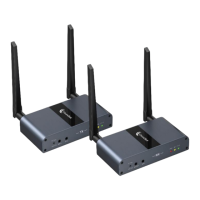
1. Connect the antennas and power adapters to
your transmitter (TX) and receiver (RX).
2. TRANSMITTER (TX): Using an HDMI cable,
connect your video source (i.e. DVD player,
computer, DVR, etc.) to your transmitter’s (TX’s)
HDMI IN port. (Optional: connect an audio source
to the “AUX IN” port.)
3. (OPTIONAL - HDMI Passthrough): If you’d like
to “pass through” the video signal via a wired
HDMI cable, connect a TV, monitor, or projector
to the transmitter’s (TX’s) HDMI OUT port.
4. RECEIVER (RX): Connect your receiver’s (RX’s)
HDMI OUT port to a TV, monitor, or projector
using an HDMI cable. (Optional: connect
speakers to the “AUX OUT” port.)
5. TV/Monitor/Projector: Ensure your TV, monitor,
or projector is set to the correct HDMI input.


 To Next Page