5
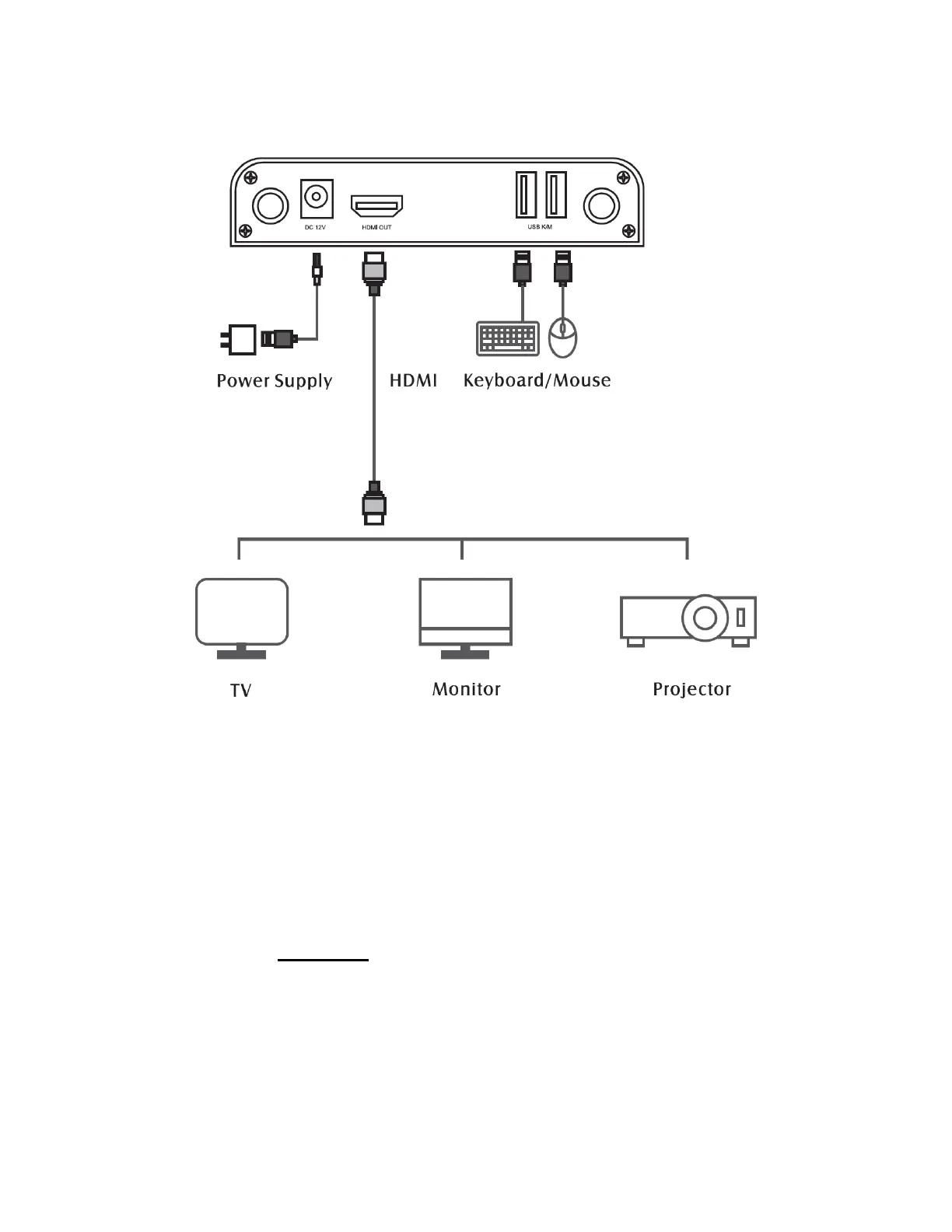
Receiver (RX) Back Diagram
1. Antenna Sockets: Screw in & connect the included antennas.
2. DC 12V: Connect the included power adapter.
3. HDMI OUT: Connect to a TV, monitor, or projector. Your video
source will be received wirelessly from the transmitter (TX) and
sent to your TV, monitor, or projector.
4. USB K/M (Optional): Connect a keyboard and/or mouse. The
signal will be transferred wirelessly back to your transmitter (TX).
From there, it will be sent to your PC / Mac through the connected
USB cable.


 To Next Page