8
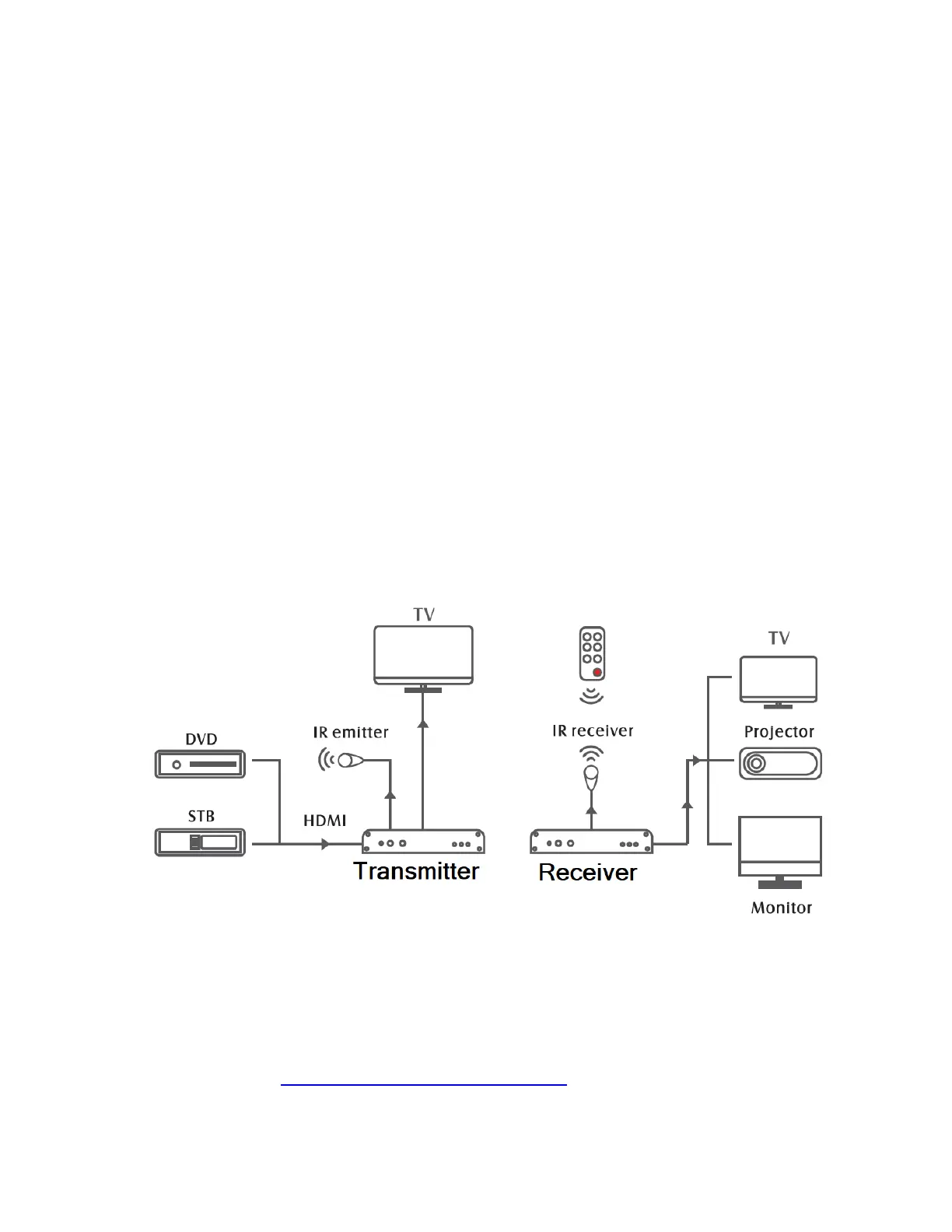
8. (OPTIONAL - Remote Control Back Control):
If you’d like, you can have the system receive a
signal from a remote control (i.e. DVD player or
DVR remote control) on the receiver (RX) side
and transmit this signal wirelessly to the
transmitter (TX). This allows you to “back control”
a device such as DVD player or DVR from a
distance (i.e. from near the receiver/RX).
To do this, connect the “IR IN” cable to the
receiver (RX), and connect the “IR OUT” cable to
the transmitter (TX).
9. (OPTIONAL – Pairing extra receivers to the
system): You can purchase extra receivers
(RX’s) at www.ClearClick.tech. This allows you to


 To Next Page