13
How To Live Stream from
Smartphones
To live stream from a smartphone, first use the steps
above to set up your device and OBS.
Then, using a high-quality USB-C or Lightning cable,
connect your smartphone to the “Storage / Phone”
port on the ClearClick® device.
Next, download the app “Miraplug” from the Google
Play or Apple Store. Run the app and configure it,
allowing the app permissions, and start live
streaming from the app.
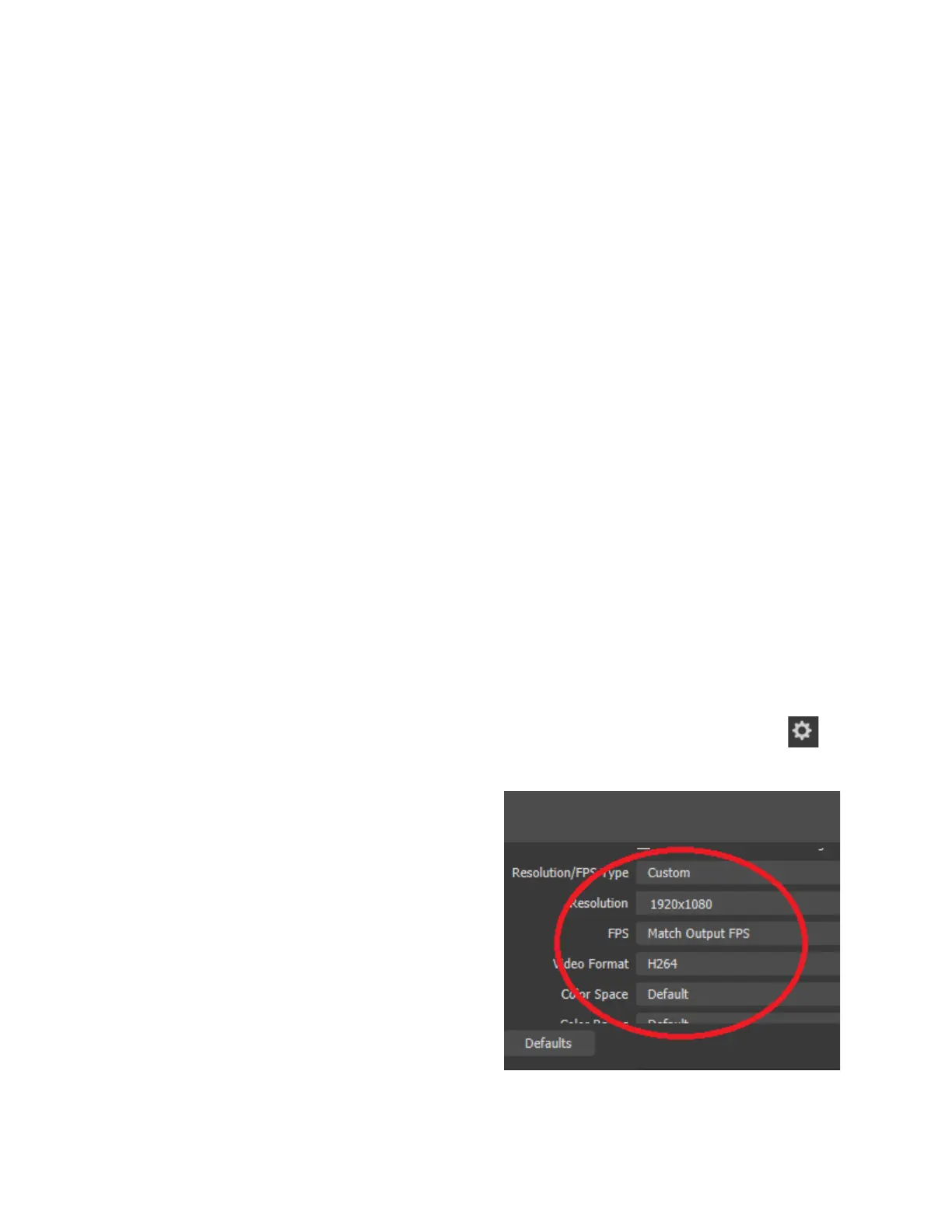
In OBS on your PC or Mac, under Sources, select
the Video Capture Device and press the settings
button.
Select “Custom” for
resolution and select any
resolution next to
“Resolution.” Select “H264”
under Video Format. Then
click “OK.”



 To Next Page