EasyManua.ls Logo

ClearClick HD Video Capture Box Ultimate 2.0 - User Manual

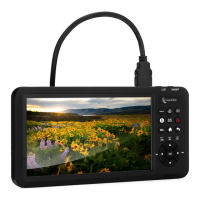
ClearClick HD Video Capture Box Ultimate 2.0
16 pages
Print Icon
To Next Page IconTo Next Page
Loading...
1
User’s Manual & Quick Start Guide
2-Year Warranty & USA-Based Tech Support
Email Us At: support@clearclick.tech
www.ClearClick.tech
Extend Your Warranty To 3 Years For FREE!
Get a FREE extra year of warranty just by registering your product
at: www.ClearClick.tech
Question and Answer IconNeed help?

Do you have a question about the ClearClick HD Video Capture Box Ultimate 2.0 and is the answer not in the manual?

Summary

Safety Precautions

Whats In The Box

Device Diagram and Explanation

Device Ports and Connectors

Detailed description of all input/output ports and their functions.

Device Buttons and Controls

Explanation of the buttons on the device for operation and settings.

Important HDCP Compliance Notice

Quick Start Guide: Normal Recording Mode

Recording, Playback, and File Transfer

Instructions for recording, playing back files, and transferring them to a computer.

Quick Start Guide: Live Streaming with OBS

Supported Resolutions and Specifications

Troubleshooting and FAQs

Connectivity and Performance Issues

Addressing PC connection problems, device freezing, and sync errors.

ClearClick HD Video Capture Box Ultimate 2.0 Specifications

General IconGeneral
Video OutputHDMI
CompatibilityWindows, Mac
Audio InputRCA (L/R)
Recording FormatMP4
StorageUSB flash drive
Display3.5" LCD
Power5V