EU +44 118 324 1242 | Germany +49 361 7473
www.clearlight-saunas.eu
42
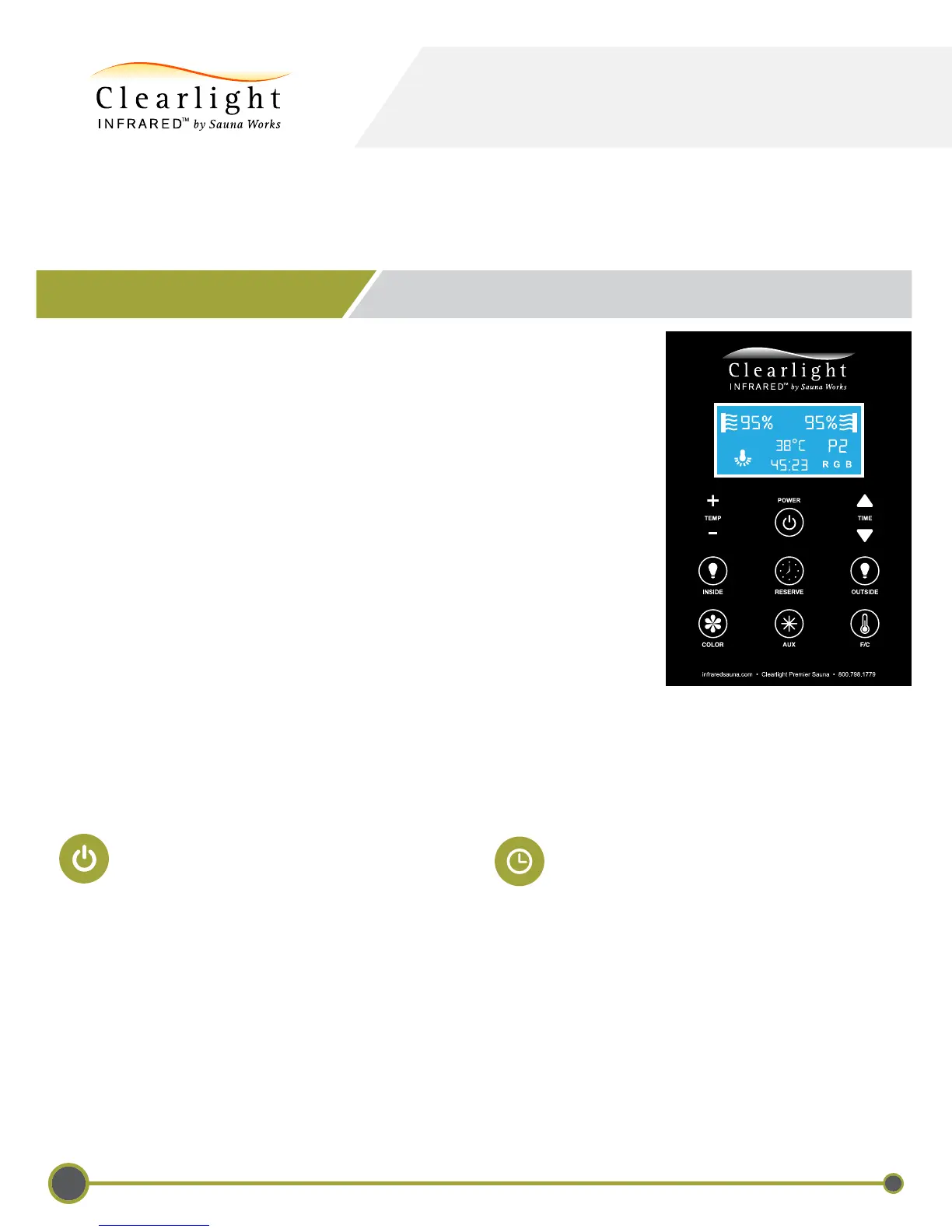
Using Your Sauna Control Panel
USING YOUR INFRARED SAUNA
Unlike a traditional sauna, infrared heats the body directly. Air temperature
in the sauna is not as important as the type and quality of the infrared being
received. We recommend the following protocol:
a. Turn the sauna on for 10 minutes to allow the heaters to come up
to optimal temperature and for the cabin to warm to a comfortable
temperature.
b. When you enter the sauna, set the time to the desired session time and
turn the thermostat up to 150+F / 65C. This will keep the heaters are on
the entire time to ensure that you are receiving constant
infrared heat. During a 30 minute sauna session, the air temperature
will reach between 115-125F / 46-51C depending on the starting
ambient air temperature.
c. Sit back and relax. Enjoy your sauna session.
When connected to the properly grounded power source, your Clearlight
®
sauna will turn ON to the set temperature and count-down with
a few pushes of the Power button.
System On/Off
1) Press the “POWER” button once to
turn on the sauna.
2) Your session will automatically end
after the programmed timer expires.
3) Press the “POWER” button at any
time turn the sauna off.
Sauna Session Time
You can set the duration of your sauna
session for a maximum of 60 minutes.
Press the TIME UP or TIME DOWN buttons
to increase or decrease your desired sauna
session time in 5 minute increments.
When you have reached your desired time,
release the button.



 To Next Page