

EasyManua.ls Logo

ClearOne UNITE 160 - User Manual

ClearOne UNITE 160
19 pages
Print Icon
To Next Page IconTo Next Page
Loading...
User Manual
UNITE® 160 4K Camera
DOC-0501-001v1.0 November 2022
Question and Answer IconNeed help?

Do you have a question about the ClearOne UNITE 160 and is the answer not in the manual?

Overview

The ClearOne UNITE 160 4K Camera is a high-quality video conferencing camera designed for various applications, including lectures, teaching, and other activities requiring object tracking and framing. It boasts a full-function USB interface, 4K UHD resolution, AI tracking and framing capabilities, a wide-angle lens, low illumination performance, and remote control options.

Function Description:

The UNITE 160 4K Camera serves as a versatile video input device, capturing high-resolution video and audio for conferencing and recording purposes. Its core function revolves around providing clear, detailed images with advanced features to enhance user experience and simplify operation. The camera supports both raw video image and encoded output through its USB 3.0 and USB 2.0 compatible interface, adhering to UVC v1.1 and UAC 1.0 protocols. This ensures broad compatibility with various operating systems and conferencing platforms.

A key feature is its AI Tracking and Framing, powered by a built-in artificial intelligence processor utilizing deep learning algorithms. This allows for smooth tracking of the human body, regardless of face visibility, making it ideal for scenarios like lectures where a presenter might move around. The AI framing automatically adjusts zoom and PTZ (Pan-Tilt-Zoom) functions to capture participants at the optimal size and position within the video frame, eliminating the need for manual adjustments during a session.

The camera's low illumination capabilities are noteworthy, employing a CMOS image sensor with an ultra-high Signal-to-Noise Ratio (SNR). This effectively reduces image noise in low-light conditions. Further enhancement comes from the application of 2D and 3D noise reduction algorithms, ensuring a clean and clear picture even in very dim environments, with an impressive SNR of up to 55dB.

For control, the UNITE 160 offers multiple options. It can be remotely controlled via RS232, RS485, and USB ports, providing flexibility for integration into existing control systems. The included remote control offers a comprehensive set of buttons for various camera functions, including standby, preset settings, zoom, focus, menu navigation, and backlight compensation. Shortcut keys on the remote further streamline operations, allowing quick access to features like One Push Framing, Auto Framing, Auto Tracking, OSD menu language selection, IP address display, default recovery, camera version check, inversion setup, and IP address restoration.

Important Technical Specifications:

  • Sensor: 1/2.5-inch CMOS with 8.51 million effective pixels, supporting 4K (3840x2160) resolution and downward compatibility with 1080P and 720P.
  • Scanning Mode: Progressive.
  • Lens: 12x optical zoom, f=4.4mm ~ 52.8mm, F1.8 ~ F2.6.
  • Minimum Illumination: 0.5 Lux @ (F1.8, AGC ON).
  • Shutter Speed: 1/30s ~ 1/10000s.
  • White Balance: Auto, Indoor, Outdoor, One Push, Manual, VAR.
  • Digital Noise Reduction: 2D&3D Digital Noise Reduction.
  • SNR: ≥55dB.
  • Horizontal FOV: 71° ~ 8.2°.
  • Vertical FOV: 42.7° ~ 4.5°.
  • Pan Angle: ±170°.
  • Tilt Angle: -30° ~ +90°.
  • Pan Speed: 2.7° ~ 35.7°/s.
  • Tilt Speed: 2.7° ~ 31.5°/s.
  • Preset Positions: 255 with 0.1° accuracy.
  • USB Interface: 1 x USB3.0 Type-C, compatible with USB2.0.
  • Audio Interface: 1 x LINE IN (3.5mm audio interface).
  • Communication Interfaces:
    • 1 x RS232: 8pin Min DIN, Max. Distance: 30m, Protocol: VISCA/Pelco-D/Pelco-P.
    • 1 x RS485: 2pin phoenix port, Max. Distance: 1200m, Protocol: VISCA/Pelco-D/Pelco-P.
  • Power Jack: JEITA type (DC IN 12V).
  • Input Voltage: DC 12V.
  • Input Current: 1.0A (max.).
  • Power Consumption: 12W (max.).
  • Operating Temperature: 0°C ~ 40°C.
  • Storage Temperature: -40°C ~ 60°C.
  • Dimensions: 144mm x 144mm x 168.3mm.
  • Net Weight: About 1.6Kg.
  • USB Features:
    • Operating System Support: Windows 7 and later, Mac OS X, Linux, Android.
    • Color System/Compression: MJPEG/YUY2.
    • Video Format: YUY2: 1080P@30fps (max.), MJPEG: 2160P@30fps (max.).
    • USB Audio: Supported.
    • USB Video Communication Protocol: UVC v1.1.
    • UVC PTZ: Supported.

Usage Features:

The UNITE 160 is designed for ease of use and integration. Its full-function USB interface ensures plug-and-play compatibility with most modern operating systems and conferencing software. The 4K UHD resolution provides exceptional image clarity, crucial for detailed presentations and engaging video calls.

The AI Tracking and Framing feature significantly enhances the user experience by automating camera movements. This is particularly beneficial in educational or presentation settings where the speaker moves, allowing the camera to intelligently follow and frame them without manual intervention. The 71° wide-angle lens ensures a broad field of view, suitable for capturing multiple participants or a wider area of a room.

The camera's GUI (Graphical User Interface) settings, accessible via the remote control and on-screen display, offer extensive customization options for various parameters:

  • Exposure: Users can adjust mode (Auto, Manual, SAE, AAE, Bright), exposure compensation, backlight, gain limit, anti-flicker settings (50Hz, 60Hz), metering modes (Average, Center, Smart, Top), iris, shutter speed, and DRC (Dynamic Range Control).
  • Color: Settings include WB Mode (Auto, Indoor, Outdoor, One Push, Manual, VAR), RG/BG Tuning, Saturation, Hue, Color Temperature, and AWB Sensitivity.
  • Image: Luminance, Contrast, Sharpness, Horizontal/Vertical Flip, B&W Mode, Gamma, and Style can be adjusted to optimize image quality.
  • P/T/Z: Speed By Zoom, AF-Zone (Front, Top, Center, Bottom), AF-Sense (Low, Normal, High), Display Info, Call Preset Speed, and Pre Zoom Speed are configurable.
  • Noise Reduction: Both 2D and 3D noise reduction levels can be set (Auto, Off, 1-5 for 2D; Auto, Off, 1-8 for 3D).
  • Setup: Language (English, Chinese, Russian), USB Audio (On/Off), Standby Mode (BULK, ISOC), UVC H264 (On/Off), and Tally Mode (On/Off) are available.
  • Communication Setup: Protocol (Auto, VISCA, PELCO-D, PELCO-P), V_Address, V_AddrFix, P_D_Address, P_P_Address, Net Mode (Serial, Paral), and Baudrate (2400, 4800, 9600, 38400) can be configured for integration with control systems.
  • Restore Default: An option to restore all parameters to their default values, including IR Remote address and VISCA address.

The remote control provides intuitive access to these settings and camera movements. Preset positions can be set and recalled quickly, allowing for seamless transitions between different views or speakers. The backlight compensation feature is particularly useful in challenging lighting conditions where a subject might appear dark against a bright background.

Maintenance Features:

The UNITE 160 is designed for reliability, but some basic maintenance and troubleshooting guidelines are provided:

  • Power Issues: If the monitor shows no image, users should verify the power supply connection, check if the power indicator is on, and ensure all cables are correctly connected.
  • Image Jitters: To address image jitters, ensure the camera's installation position is stable and that there are no vibrating machinery or objects nearby.
  • Remote Control Issues: If the remote control is not working, check and replace batteries if depleted, verify the camera is functioning normally, and ensure the remote control's address key matches the camera's setting.
  • Serial Port Control Issues: For serial port control problems, confirm that the protocol, address, and bit rate of the camera are consistent with the control system, and check that the control cable is properly connected.
  • USB Connectivity Issues: If the camera doesn't connect to the PC via USB, try another USB port, ensure secure cable connections, try a new USB cable, and avoid using USB extenders or hubs if issues persist.
  • Pan/Tilt Issues: If the camera is unable to pan or tilt, check if the menu is currently displayed on the screen and exit it if so.
  • Zoom Issues: If the camera is unable to zoom, ensure EPTZ (Electronic Pan-Tilt-Zoom) is enabled in the OSD and increase the Digital Zoom range via the OSD if necessary. If no electronic zoom has been performed, try zooming first before panning or tilting.
  • General Malfunction: If the camera is not working at all, disconnect power, wait a few minutes, then reconnect power and retry.

The product is not waterproof and should be kept dry. Users are advised against disassembling the product, as it contains no user-serviceable parts, and damage caused by disassembly will void the warranty. Adequate ventilation around the device is recommended to prevent heat build-up. In case of smoke, unusual smells, or noises, the device should be immediately turned off and unplugged, and the dealer contacted.
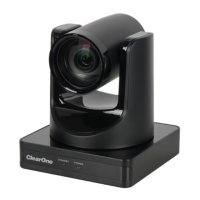
ClearOne UNITE 160 Specifications

General IconGeneral
BrandClearOne
ModelUNITE 160
CategoryIP Camera
LanguageEnglish