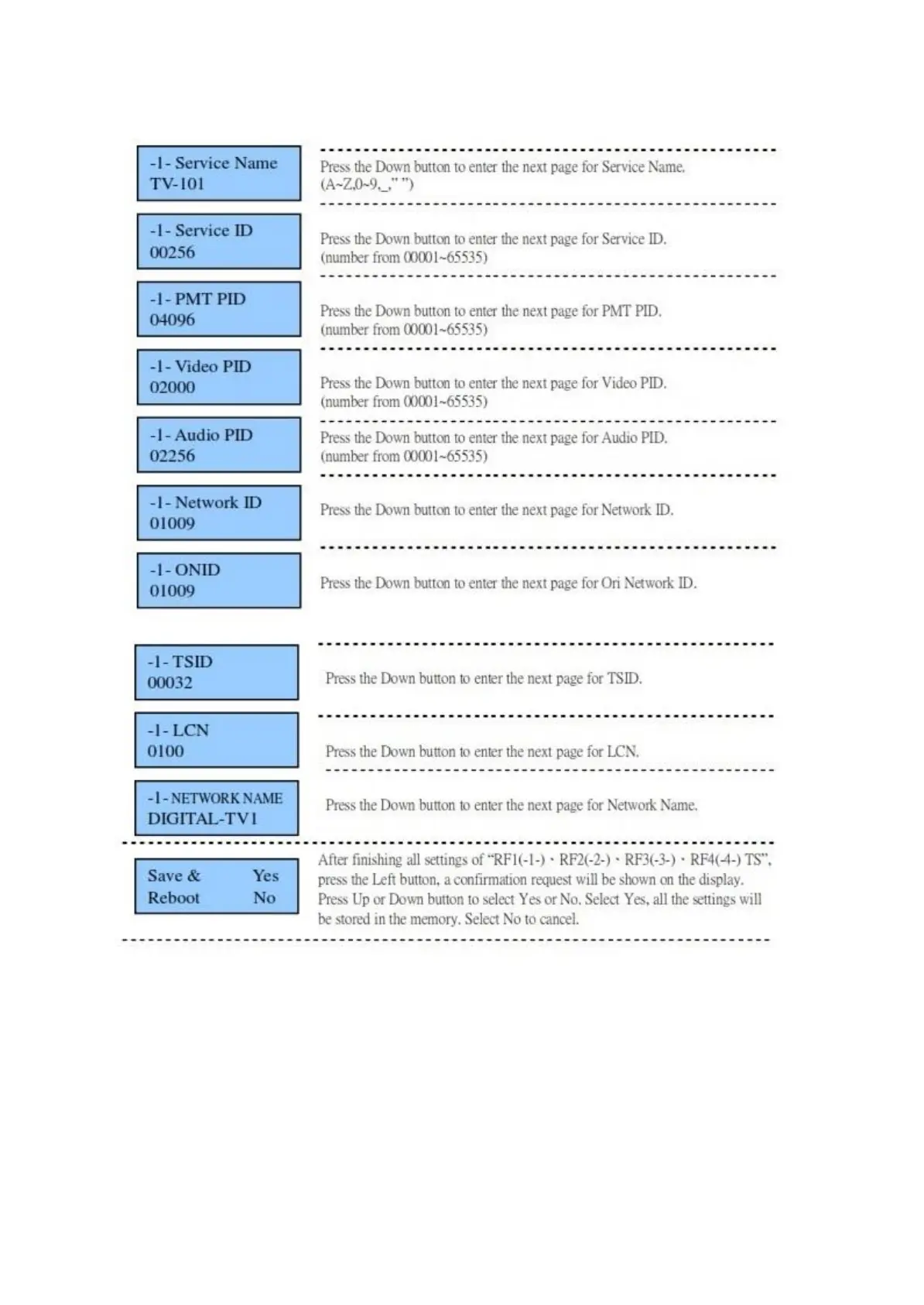
6.3 Stream Setting
USB Upgrade
1) Download software to USB disk. Unzip. Only 'image.hex' from the HD4112 folder should
be on the USB stick.
2) Insert the USB stick to the slot of USB Upgrade while HD4112 is powered off.
3) Keep pressing the OK button and power on HD4112. One LED illuminates and flickers.
4) Release the OK button. LED continues to flicker. Software upgrade is finished when LED
stops flickering, and the unit says upgrade complete on the LCD panel.
5) Power off HD4112 and then power on again.


 To Next Page