3.2.3 Step 2: Adjust Transport Stream Settings
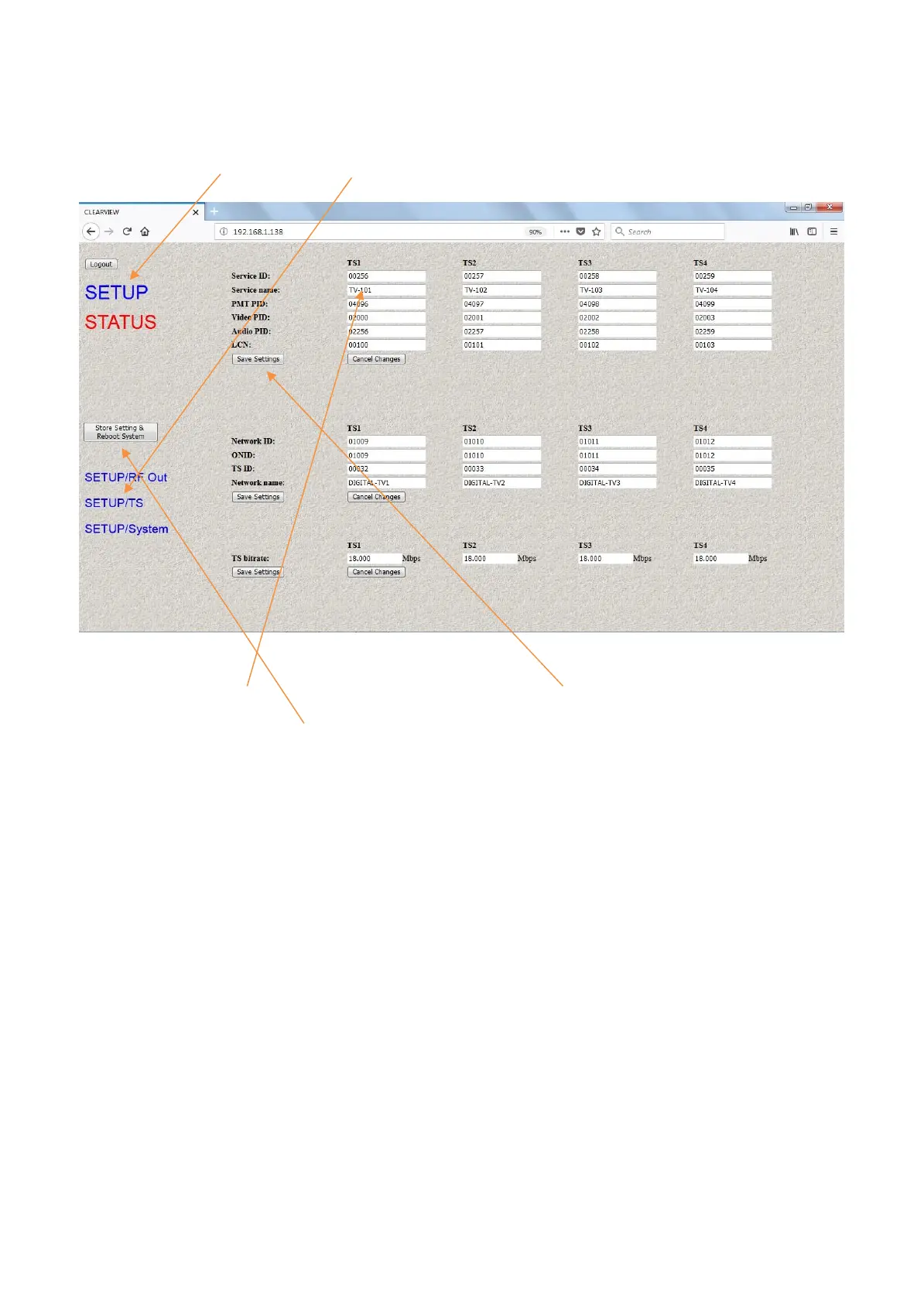
Click on SETUP then on SETUP/TS:
Set your TS settings for each channel then press Save Settings at the left-hand side.
Once you have set all parameters and pressed Save Settings, finally press
Save Setting and Reboot System to store permanently. The Bitrate setting must not exceed
The allowable amount according to your modulator parameter settings. Please use the
Chart below to determine the maximum bitrate value.
CR GI QPSK 16QAM 64QAM
1/2 1/32 4.486 8.972 13.458
1/16 4.354 8.708 13.062
1/8 4.112 8.224 12.336
1/4 3.701 7.401 11.103
2/3 1/32 5.981 11.962 17.945
1/16 5.805 11.611 17.414
1/8 5.483 10.965 16.449
1/4 4.934 9.869 14.804
3/4 1/32 6.729 13.458 20.188
1/16 6.531 13.062 19.594
1/8 6.168 12.336 18.506
1/4 5.551 11.103 16.654
5/6 1/32 7.477 14.954 22.431
1/16 7.257 14.514 21.771
1/8 6.854 13.707 20.562
1/4 6.168 12.336 18.506
7/8 1/32 7.851 15.702 23.552
1/16 7.620 15.239 22.859
1/8 7.196 14.393 21.590
1/4 6.477 12.954 19.431


 To Next Page