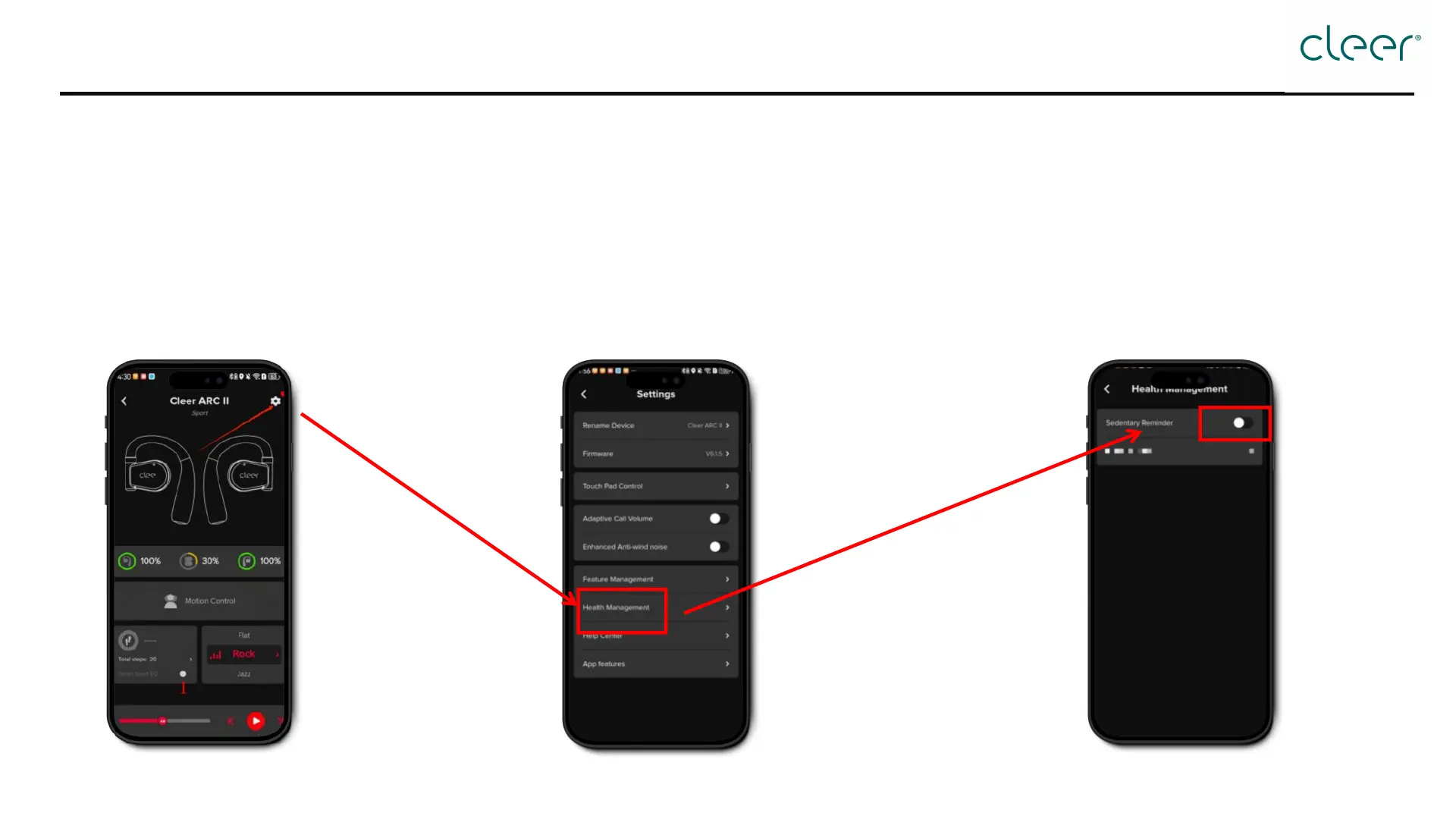
How to turn on/off sedentary reminder?
Step 3: Toggle the button to turn on/off AI
sedentary reminder.
This function is deactivated by default. Activate or deactivate it in the Cleer+ App.
[Settings] → [Health Management] → Toggle the [Sedentary Reminder] button to turn on/off
Step 1: Open the Cleer+ App, and tap the [Setting]
icon at the top right corner.
Step 2: Tap [Health Management].



 To Next Page