How to update firmware?
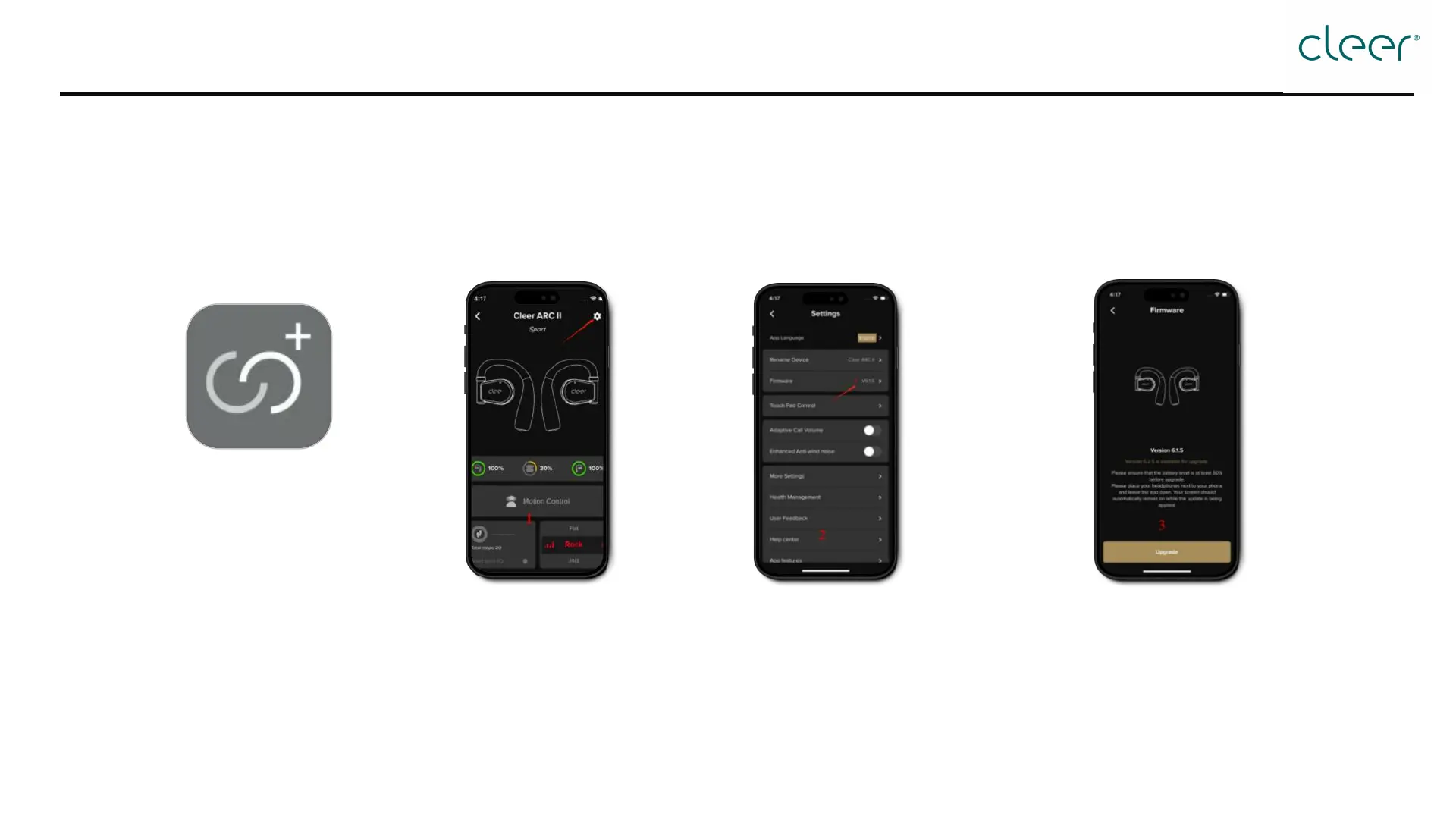
Step 1: Open the Cleer+ App Step 2: Tap the [Setting] icon at
the top right corner.
Step 3: Tap [Firmware]
Step 4: Tap [Update] on the pop-
up page
* Reminder:
Please ensure your device has a good network connection and sufficient battery power. The updating process usually takes 7-15 minutes.
Please ensure that the battery level is at least 50% before upgrade.
Please keep your headphones near your phone and leave the app open. The screen should automatically stay on during the update.


 To Next Page