
 Need help?
Do you have a question about the Cleverio AP-300 and is the answer not in the manual?
Details the layout and components of the air purifier's control panel for easy operation.
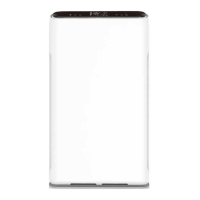
Identifies the main external parts of the air purifier, including the front panel and air inlet.
Guides on preparing the unit for first use, including filter placement and initial power-up.
Explains how to use Auto mode, adjust fan speed, and activate Sleep mode for optimal air purification.
Covers timer settings, child lock, and Wi-Fi connectivity for remote control via the app.
Instructions on how to set the internal clock for accurate operation and scheduling.
Details the cleaning and replacement schedules for the Pre-filter, Activated Carbon, and HEPA filters.
Procedures for cleaning the particle sensor and resetting the filter alarm indicator.
Essential safety information to ensure proper and safe use of the air purifier, preventing hazards.
 General
| Model | AP-300 |
|---|---|
| Type | Air Purifier |
| Pre-filter | Yes |
| Color | White |
| Filter type | Activated Carbon |

 To Next Page