2
3
Use
Connect the gateway to app
1. Find and install the app ‘Smart life- Smart living’
on App Store or Google Play.
2. Register an account in the app or log in to an existing one. Activate
Bluetooth and location services on your device.
Make sure the device is connected to your 2.4 GHz wifi.
3. Connect the included power adapter to the
connector on the bottom and wait 30 seconds for
the gateway LED indicator to light up and flash blue.
4. Open the app. Press “+” and select “Add device”.
Go to “Gateway control” and select “Wireless Gateway (Zigbee)”.
If you are using the Smart life-Smart living account for the first
time, enter your details for your 2.4 GHz wifi.
Note! The pairing needs to be completed within 3 minutes. If more than
3 minutes have passed, follow the “Factory reset” instructions and
repeat this step.
5. Confirm that the LED indicator is flashing and select the
option "Blink Quickly" when prompted in the app.
6. The app confirms when the gateway is added successfully.
Note! The pairing procedure might change due to regular app updates. If the
instruction does not correspond with the app interface, please visit
www.kjell.com/51825 -> “Support” for updated instructions.
EN
EN
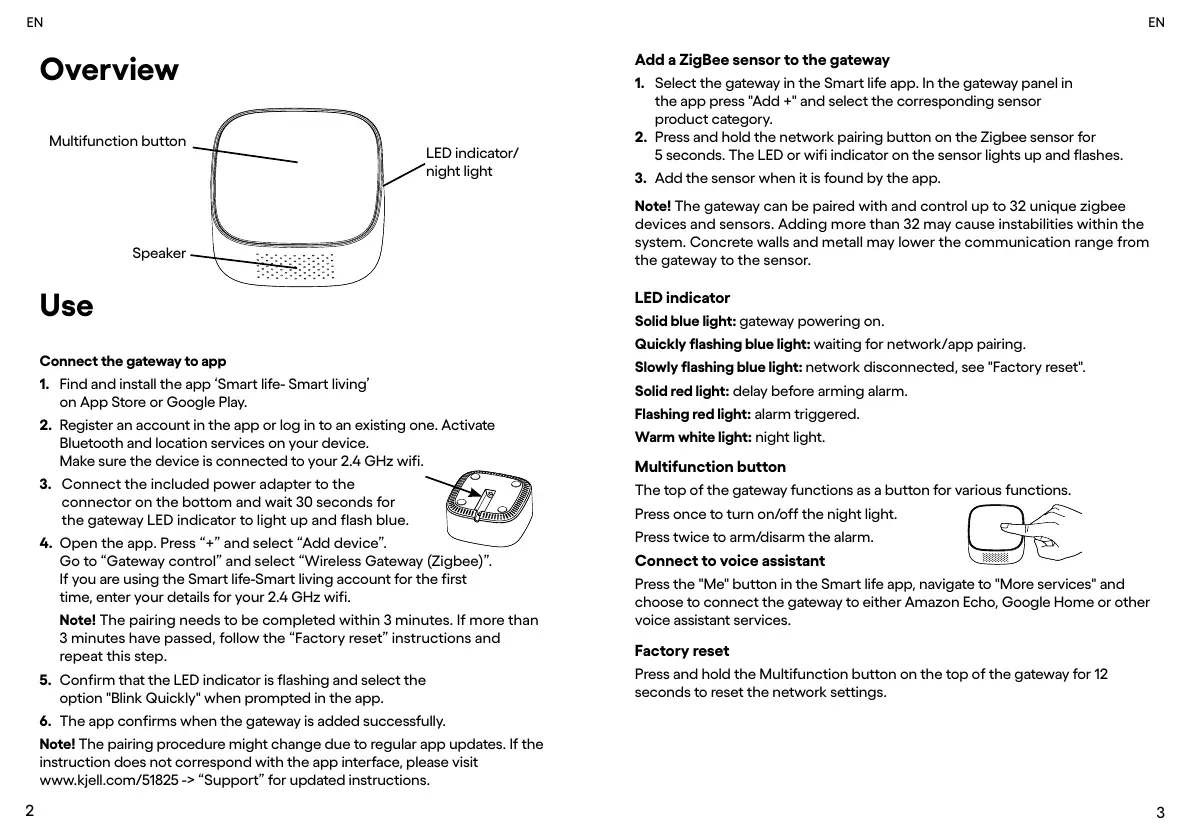
LED indicator
Solid blue light: gateway powering on.
Quickly flashing blue light: waiting for network/app pairing.
Slowly flashing blue light: network disconnected, see "Factory reset".
Solid red light: delay before arming alarm.
Flashing red light: alarm triggered.
Warm white light: night light.
Multifunction button
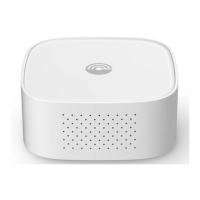
The top of the gateway functions as a button for various functions.
Press once to turn on/off the night light.
Press twice to arm/disarm the alarm.
Connect to voice assistant
Press the "Me" button in the Smart life app, navigate to "More services" and
choose to connect the gateway to either Amazon Echo, Google Home or other
voice assistant services.
Factory reset
Press and hold the Multifunction button on the top of the gateway for 12
seconds to reset the network settings.
Note! The gateway can be paired with and control up to 32 unique zigbee
devices and sensors. Adding more than 32 may cause instabilities within the
system. Concrete walls and metall may lower the communication range from
the gateway to the sensor.
Add a ZigBee sensor to the gateway
1. Select the gateway in the Smart life app. In the gateway panel in
the app press "Add +" and select the corresponding sensor
product category.
2. Press and hold the network pairing button on the Zigbee sensor for
5 seconds. The LED or wifi indicator on the sensor lights up and flashes.
3. Add the sensor when it is found by the app.
Overview
Multifunction button
Speaker
LED indicator/
night light


 To Next Page
 Loading...