4 INSTALLATION AND OPERATING INSTRUCTIONS
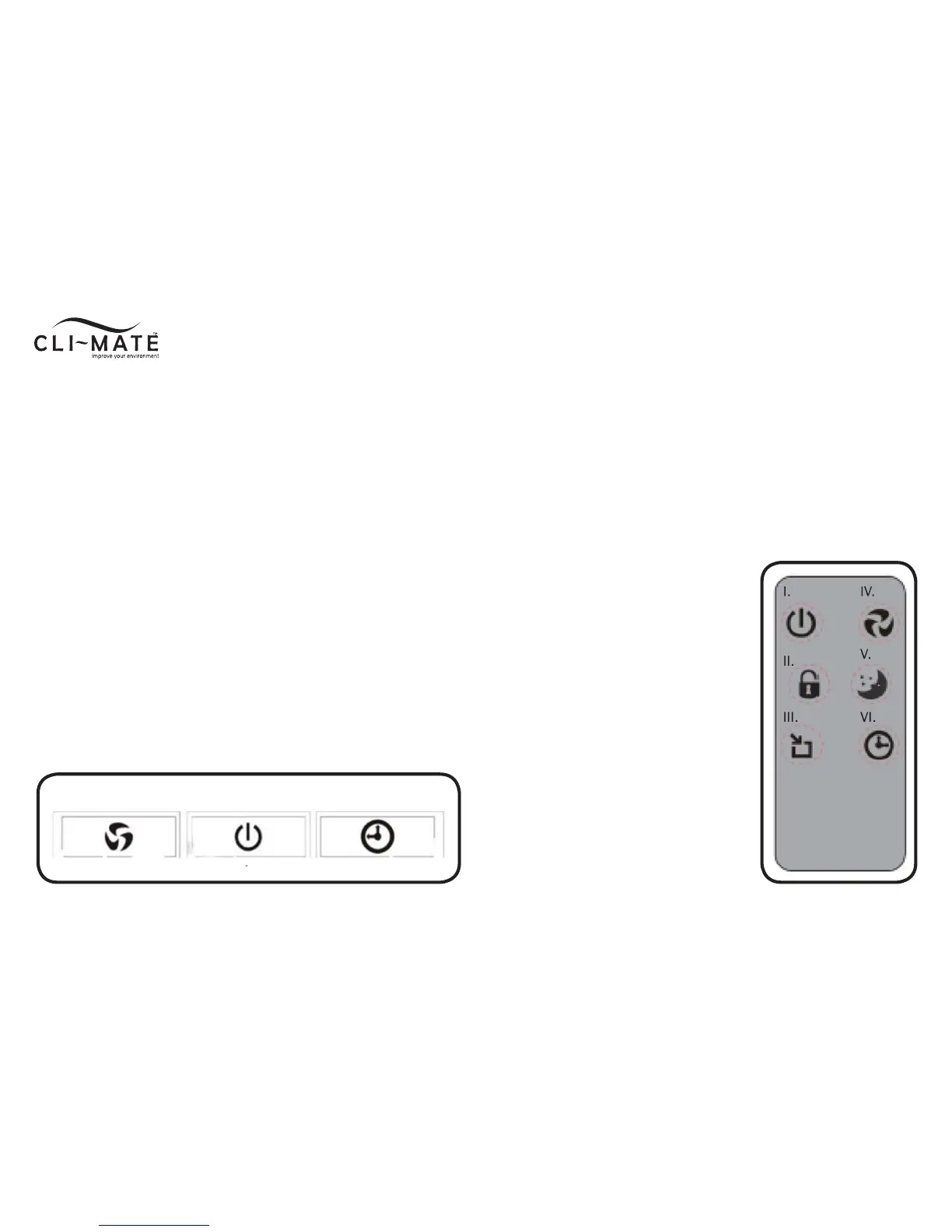
CONTROL PANEL/BUTTONS
1. Speed options
Allows selection for desired speed setting- turbo, high, low and
sleep. Default setting at low speed
Filter timer reset button
Press and hold for 3 seconds to reset filter timer
2. Power button
Turns unit on/off
3. Timer options
To set automatic off timer at 1, 4 or 8 hour settings
REMOTE CONTROL
I. On/off
II. Child-safety lock
III. Auto-mode
IV. Speed options
V. Sleep mode
VI. Off timer options
Note:
• Avoid storing the remote control in
direct sunlight
• The battery for this remote control is
for initial use only and will need to be
changed
• When replacing battery, always use a
3V lithium coin battery
• When the unit will not be used for an
extended period, remove the battery
from the remote to prevent battery
fluid leakage
1. 2. 3.



 To Next Page