8
AFTER SALES SUPPORT
(AU) 1300 886 649 (NZ) 0800 836 761 | info@tempo.org
Instructions
Using the tower fan
This tower fan is equipped with three
wind speeds, an oscillation function, a
2-hour timer and an easy to use control
panel on top of the unit.
• STEP 1: Before connecting to the
power supply, please check whether
the voltage displayed on the product
is consistent with your power supply
voltage. Then plug in the power
supply.
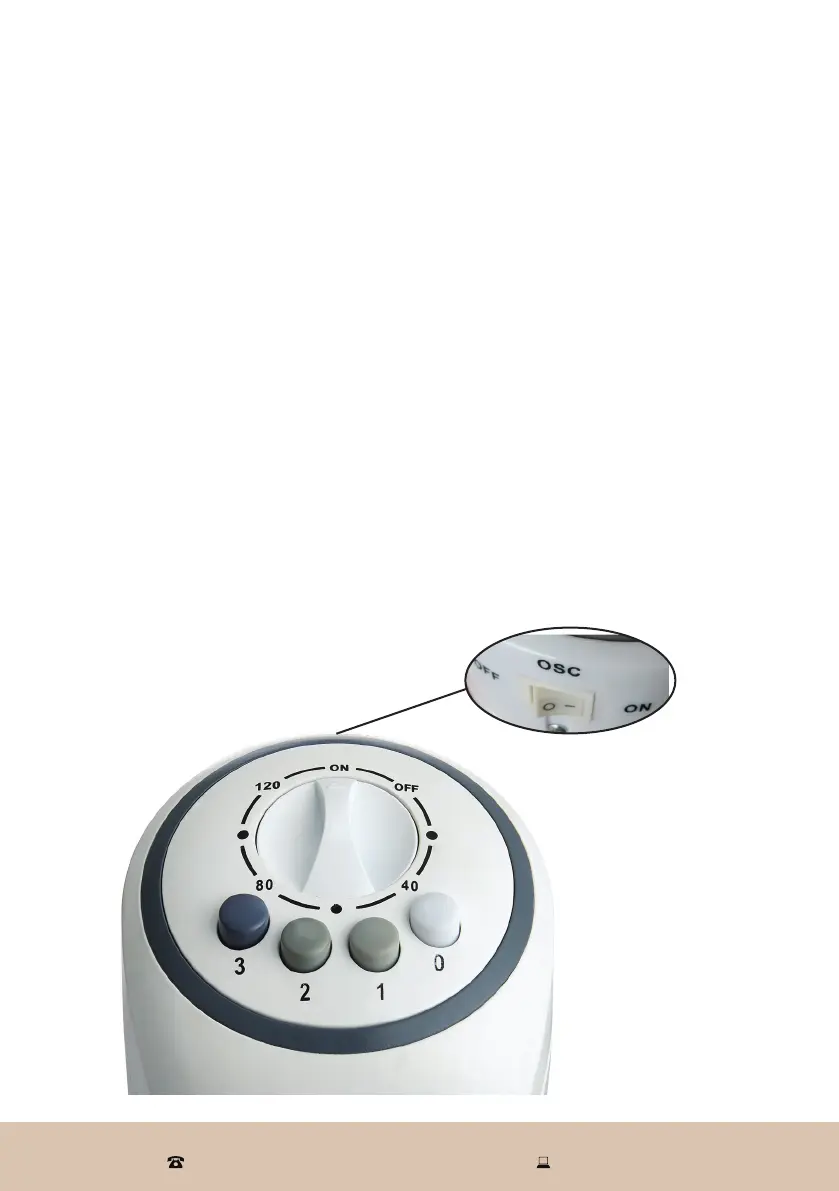
• STEP 2: To turn on the tower fan,
select the desired cooling speed by
pressing the fan speed buttons. Speed
setting [ 1 ] gives you the lowest wind
speed, setting [ 3 ] the strongest.
• STEP 3: To use the tower fan for a set
period of time, turn the timer control
dial in a clockwise direction to select
the desired time.
Once set, the timer control will run
its course but can be interrupted and
stopped by turning the timer control
dial in an anticlockwise direction to
the [ OFF ] position.
• STEP 4: Activate the swing function
by pressing the oscillation (OSC)
switch at the back of the unit to the
ON [ I ] position. The fan will now
oscillate 60° from one side to the
other. Press the switch to the OFF
[ O ] position to stop the swing.
• STEP 5: Turn off the fan by pressing
the [ 0 ] button and turning the timer
control dial in an anticlockwise
direction to the [ OFF ] position.
Unplug the tower fan when it is not
in use.
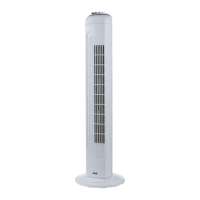
Fig. 3


 To Next Page