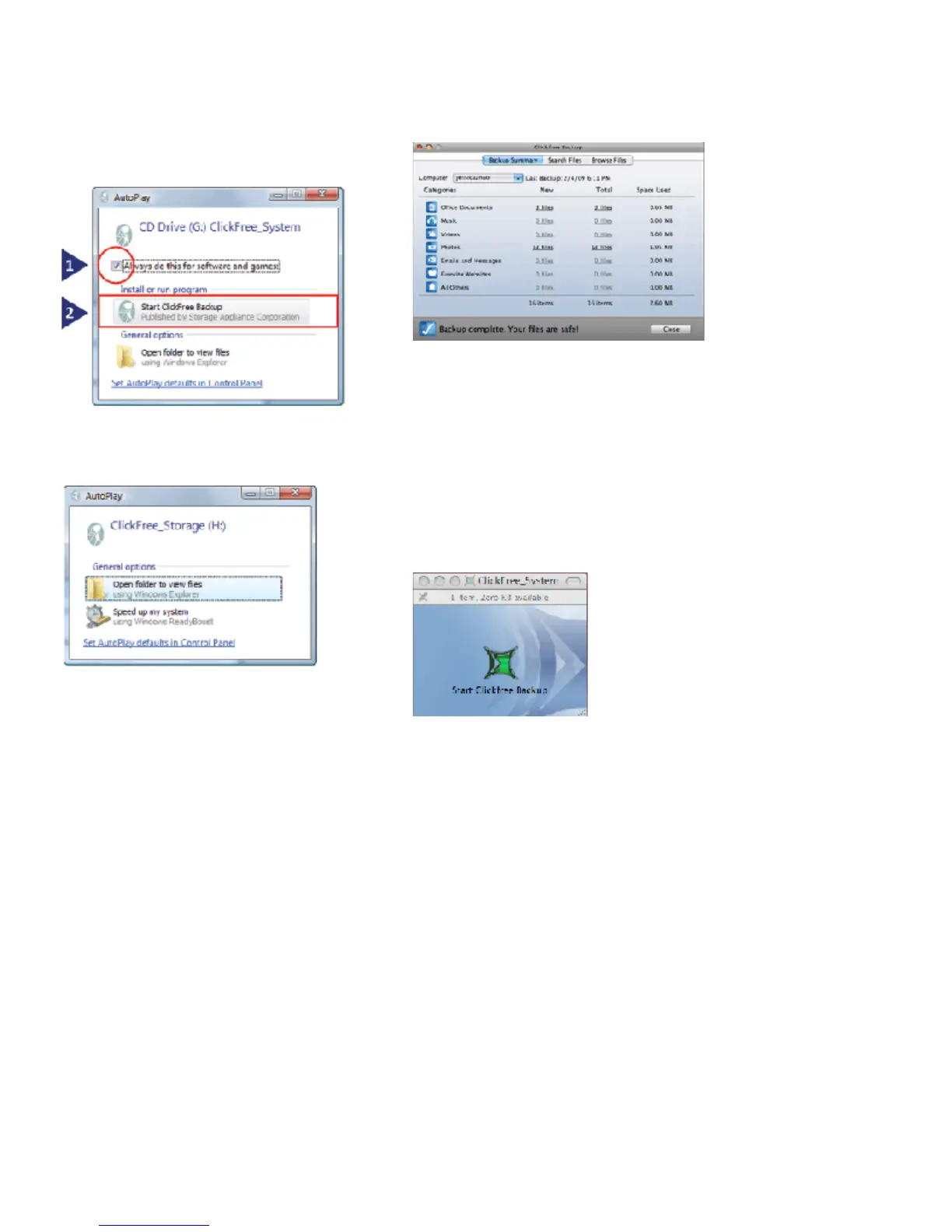
screens on their computer. If this screen appears
on your computer please do the following:
1) Check the “Always do this for software and
games” box and then,
2) Click on “Start Clickfree Backup”
If this screen appears on your computer, just
close this window.
Note: These screens should only appear once, the first
time you plug in a Clickfree product.
To Restore to a Windows® Computer
1. Ensure that your computer that you will restore
to is on and you are logged in.
2. Connect the Clickfree Backup to your
computer’s USB port using the USB cable that is
included.
3.When the Clickfree program starts and you see
the “Welcome” screen with the countdown, click
on the “Restore” button at the bottom of the
screen.
4.Once Clickfree starts, click on the “Restore”
button at the bottom of the screen and follow the
instructions to restore either some, or all of your
backed up content.
To Import Music from an iPod/iPhone to a
Windows Computer
1. Ensure that your computer that you will restore
to is on and you are logged in.
2. Connect the Clickfree Backup Drive to one of
your computer’s USB ports.
5.When backup is complete, just unplug the
Clickfree Backup Drive from your computer.
Congratulations! Your files are now safe.
To Restore to a Mac Computer
1. Ensure that your computer that you will restore
to is on and you are logged in.
2. Connect the Clickfree Backup to your
computer’s USB port.
3.If it is a new computer, then you will see this
window:
a) Double click on this icon to start the Clickfree
program.
4. Once Clickfree starts, click on the “Restore”
button at the bottom of the screen and follow the
instructions to restore either some, or all of your
backed up content.
Clickfree™ C2 Portable Backup Drive Quickstart Guide
2 of 3



 To Next Page