4
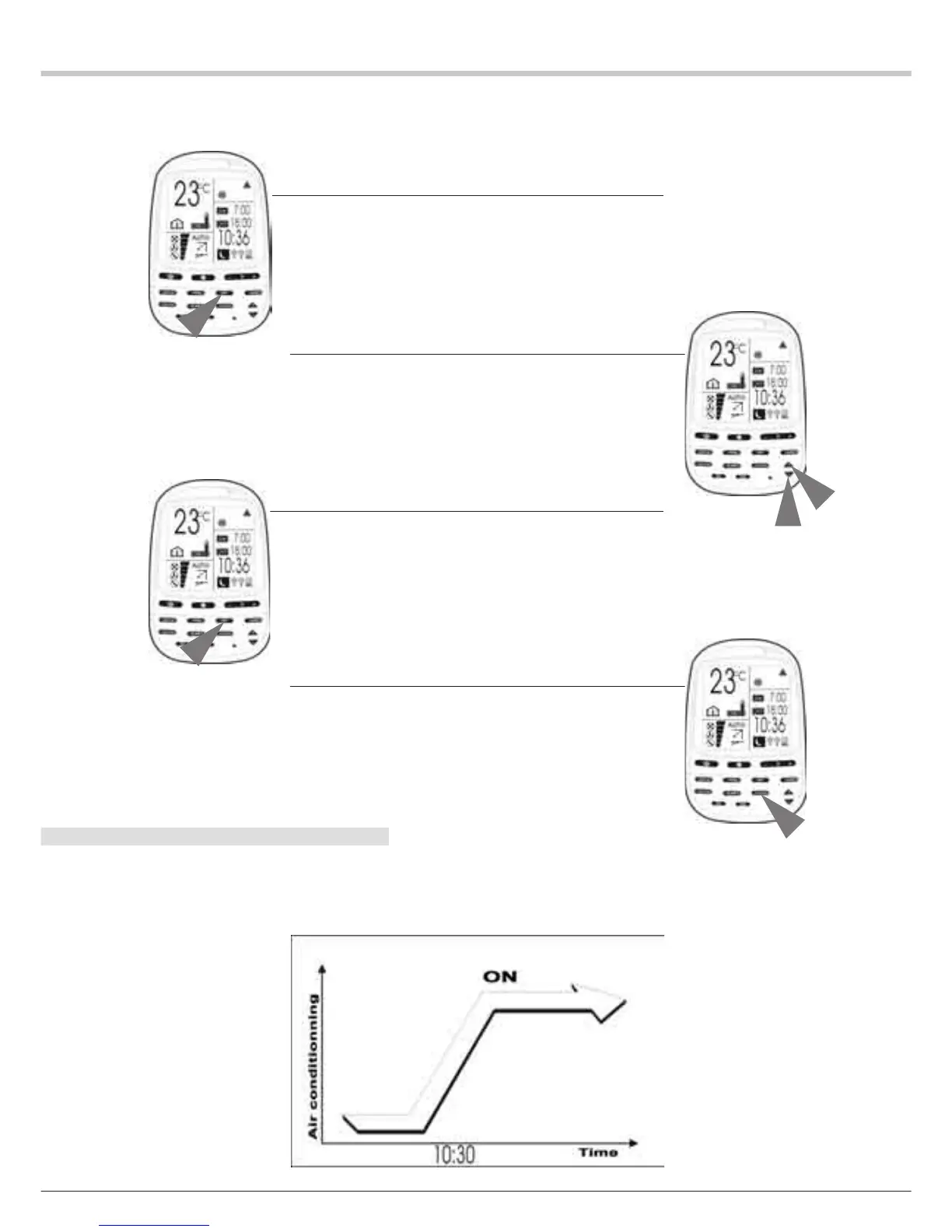
ADJUSTMENT OF THE SWITCH-ON TIME
After selecting a programming function (T1, T2 or WKT1, WKT2),
proceed as follows to adjust the programmed switch-on time.
EXAMPLE: Air conditioner switch-on at 10:30 (a.m.)
1 Press the SET key
The ON (switch-on) icon and the switch-on time flash.
2 Adjust the hour and minutes.
1. Set the switch-on time to 10:30
2. Press the HOUR + key to increase the time or the HOUR - key to
decrease it.
3 Press the SET key.
1. The switch-on time is programmed for 10:30 (a.m.) (the “ON”
[Switch-on] icon comes on steadily).
2. The “OFF” [Switch-off] icon and the switch-off time flash.
4 Press the CLEAR key.
The programmed switch-off is no longer displayed.
REMARKS:REMARKS:
REMARKS:REMARKS:
REMARKS:
1. The implicit settings of the programming functions are 7:00 and
18:00 (7 a.m. and 6 p.m.) for the switch-on and switch-off times.
2. The programming mode will always display the last switch-on and
switch-off (ON and OFF) settings on the LCD display.


 To Next Page
 Loading...