EasyManua.ls Logo

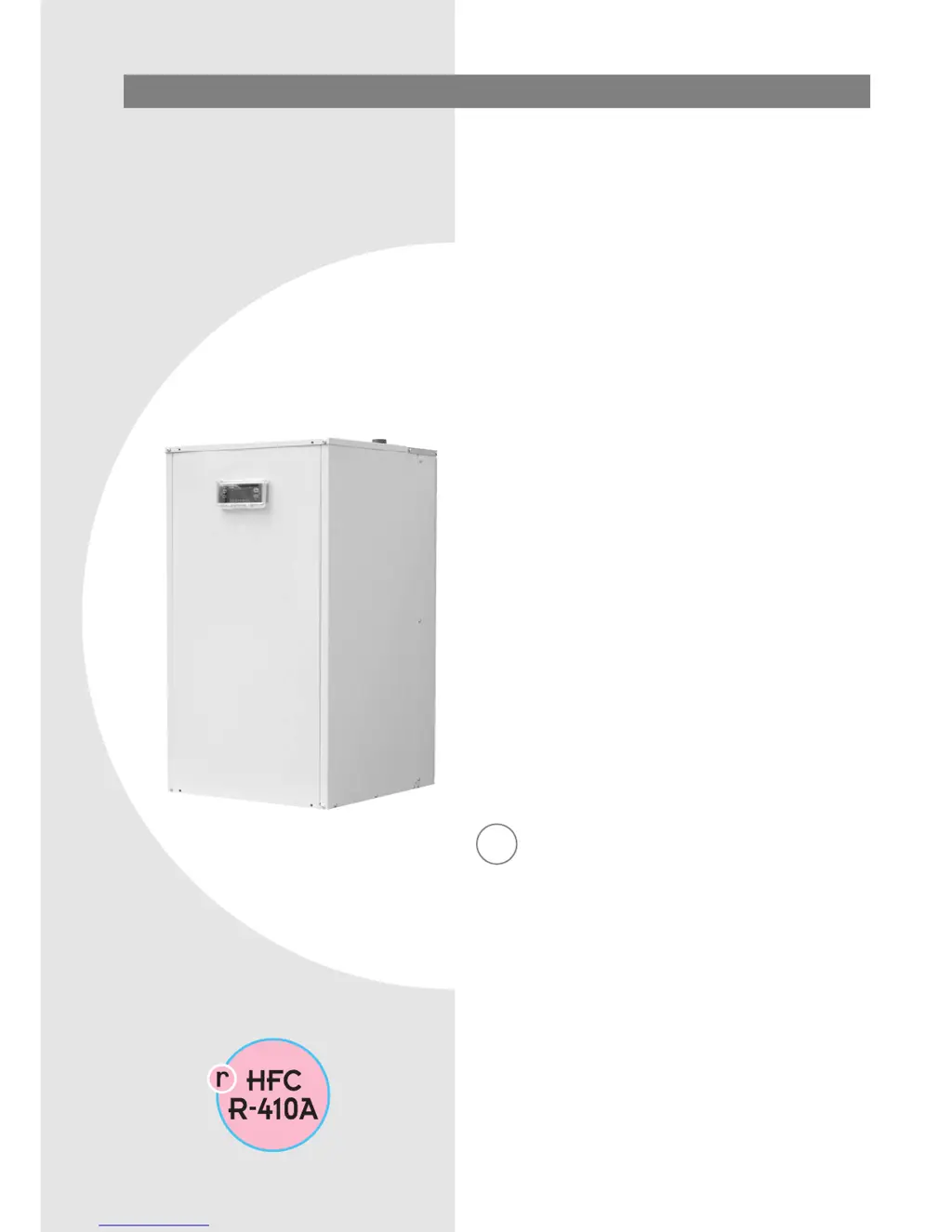
CLIMAVENETA BRH 0041 FF - User Manual

CLIMAVENETA BRH 0041 FF
34 pages
Print Icon
To Next Page IconTo Next Page
Loading...
INSTALLATION - USER - MAINTENANCE MANUAL
Water-cooled liquid chillers
GB
BRH FF
0011÷0121

Questions and Answers

  • K
    Kristina WagnerAug 13, 2025
    Why is my CLIMAVENETA BRH 0041 FF Chiller not starting?
    • J
      John JonesAug 13, 2025
      Your CLIMAVENETA Chiller might not be starting due to several reasons. There could be no voltage, in which case you should check the presence of voltage and safety systems upstream of the appliance. Alternatively, a contactor coil, the HSW12 controller, or the start-up capacitor (if featured) might be faulty, requiring component replacement. Other potential causes include a faulty compressor or reversed phases (for three-phase units).
  • A
    agilesAug 17, 2025
    What causes high discharge pressure in CLIMAVENETA BRH 0041 FF Chiller?
    • L
      Lisa MartinezAug 17, 2025
      High discharge pressure (greater than 32 bars) in your CLIMAVENETA Chiller can be caused by high outside water temperature. If this occurs, you should check the water temperature. It may also be due to a high utility water inlet temperature.
  • J
    Jennifer LawsonAug 21, 2025
    What causes low suction pressure in CLIMAVENETA BRH 0041 FF?
    • K
      Kimberly CurryAug 21, 2025
      Low suction pressure (less than 4 bars) in a CLIMAVENETA Chiller can stem from several factors. These include a low utility water inlet temperature, a low outside water inlet temperature, or a faulty or blocked thermostatic expansion valve, so you should check these components. It may also be caused by a blocked water filter or a blocked plate heat exchanger.
  • A
    Angela RosarioAug 25, 2025
    How to fix noise and vibrations in CLIMAVENETA BRH 0041 FF?
    • J
      Jeffrey PhillipsAug 26, 2025
      Noise and vibrations in your CLIMAVENETA Chiller can be caused by contact between metal bodies; you should check for this. Another cause may be loose screws, so tighten them.
  • J
    Jessica PollardAug 28, 2025
    Why is the compressor noisy in my CLIMAVENETA Chiller?
    • J
      James SimsAug 28, 2025
      A noisy compressor in your CLIMAVENETA Chiller may be caused by liquid returning to the compressor, which you should check. Another possible cause is inadequate fastening.
  • D
    Damon ParkSep 1, 2025
    What causes high suction pressure in CLIMAVENETA BRH 0041 FF?
    • T
      Tracy WilliamsSep 1, 2025
      High suction pressure (greater than 20 bars) in your CLIMAVENETA Chiller could be due to a high utility water inlet temperature or a faulty or excessively open thermostatic expansion valve. In such cases, you should check these components.
  • M
    Michael WilliamsSep 5, 2025
    What causes low discharge pressure in CLIMAVENETA BRH 0041 FF Chiller?
    • M
      Mark SchmidtSep 5, 2025
      Low discharge pressure (less than 16 bars) in a CLIMAVENETA Chiller can be caused by a low utility water inlet temperature, so you should check this.
  • S
    Stephen WillisSep 8, 2025
    What to do if there is moisture in the refrigerant circuit of CLIMAVENETA BRH 0041 FF?
    • N
      Nathan CaldwellSep 9, 2025
      If there is moisture in the refrigerant circuit of your CLIMAVENETA Chiller (indicated by a yellow flow indicator), you should empty and refill the system.

Summary

General Warnings and Safety Rules

General Warnings

Information about appliance design, installation, regulation, and maintenance.

Fundamental Safety Rules

Essential safety guidelines for operating electrical and water equipment.

Receiving and Handling the Product

Product Delivery and Packaging

Details on unit packaging, supplied materials, and handling precautions.

Dimensional Drawings

Installation and Water Connections

Choice of Installation Site

Criteria for selecting an appropriate installation location for the unit.

Unit Positioning

Guidelines for safely moving and securing the unit.

Water Circuit Installation

Requirements and components for water circuit connections, including bypass.

System Filling and Emptying

Filling the System

Step-by-step instructions for filling the water circuit.

Emptying the System

Procedures for safely draining the water circuit.

Water Circuit Data and Electrical Connections

Water Circuit Data

Information on water content, ethylene glycol solutions, and water quality parameters.

Sound Pressure Levels

Noise emission data across different octave bands.

Electrical Connections

Guidelines for connecting the unit to the main electrical supply and components.

Electrical Data

Electrical Panel Overview

Bringing Electrical Cables into the Unit

Guidance on routing power and external connection cables via cable glands.

Electrical Panel Layout

Diagram showing the components and layout of the electrical panel.

Three-Phase Wiring Diagrams

Three-Phase Wiring (0021-0061)

Wiring diagram for three-phase models 0021-0061.

Three-Phase Wiring (0071-0121)

Wiring diagram for three-phase models 0071-0121.

Completing Electrical Connections

Mains Power Supply Connection

Instructions for connecting the main power supply to the unit.

Auxiliary Connections

Details on connecting external devices to installer terminals.

Remote Control Options

Connecting remote on/off, alarm, and keypad devices.

Input Functions

Connecting flow switches and digital input for economy function.

Single-Phase Wiring Diagram

Three-Phase Wiring Diagram

General Technical Data

Operating Limits

Unit Start-Up and Operation

Preparing for First Start-Up

Safety checks and initial preparations before unit activation.

Starting Up for the First Time

Procedures for initial unit power-up and preheating.

Activating and Deactivating the Unit

Steps for turning the unit on, off, and handling display indications.

HSW12 Controller Functions

Button Descriptions and Functions

Explanation of buttons and their associated single and combined actions.

Combined Button Actions

Details on functions achieved through simultaneous button presses.

Controller Display and LEDs

Status and Operating Mode LEDs

Meaning of LEDs indicating unit status and operating modes.

Value and Unit of Measure LEDs

Indicators for display values like clock, temperature, and pressure.

Utility LEDs

LEDs showing the status of internal components like compressor and pump.

Selecting Operating Mode

Setting Set Points

Setting Parameters

Parameter Configuration

CF Directory (Configuration)

Accessing the CF directory for unit configuration parameters.

CF00 Parameter (Default Settings)

Viewing and modifying the default factory settings for parameter CF00.

Compressor and Pump Hour Display;Reset

Accessible Parameters List

Displaying and Resetting Alarms

Fault Indications (Er01-Er46)

Details on specific fault codes, their causes, and troubleshooting steps.

Displaying and Resetting Alarms (Continued)

Fault Indications (Er47-Er90)

Further fault codes, their causes, and recommended solutions.

Unit Operating Characteristics

Cooling Set Point & Compressor Control

Set point effects on compressor operation and hysteresis.

Compressor Delay & Pump;Flow Alarms

Mechanisms preventing cycling, pump operation, and flow alarms.

Antifreeze Alarm & Long-Term Shutdown

Frost protection, reset, and unit shutdown procedures.

Routine Maintenance

Special Maintenance

Chemical Washing

Recommendation for flushing the plate heat exchanger every three years.

Refrigerant Gas Content and Handling

Procedures for checking, refilling, and handling refrigerant gas.

Troubleshooting Common Issues

Unit Failure to Start

Common causes and solutions when the chiller does not power on.

Insufficient Capacity and Compressor Issues

Reasons for reduced capacity, noisy compressors, and vibrations.

Protection Device Tripping

Causes and checks when protection devices shut down the compressor.

Troubleshooting Pressure Issues

High and Low Discharge Pressure

Causes and solutions for excessive or low discharge pressure.

High and Low Suction Pressure

Causes and solutions for high or low suction pressure.

Useful Information and Contact Details

CLIMAVENETA BRH 0041 FF Specifications

General IconGeneral
BrandCLIMAVENETA
ModelBRH 0041 FF
CategoryChiller
LanguageEnglish

Related product manuals