Need help?
Do you have a question about the Climax Technology HSGW-Gen2-V1 and is the answer not in the manual?
Details the technical specifications of the HSGW-Gen2-V1 alarm system, including zones, types, and modes.
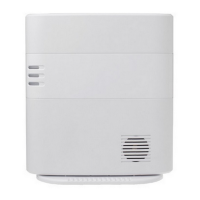
Identifies and describes the physical components and indicators of the HSGW-Gen2-V1 control panel.
Explains the control panel's power sources, including the built-in switching power supply and rechargeable battery.
Lists the necessary computer hardware and software for accessing the control panel's webpage.
Provides step-by-step instructions for physically installing the HSGW-Gen2-V1 control panel on a wall or desk.
Guides users on how to connect to and access the control panel via the Alarm.com web platform.
Explains the process of adding new sensors and devices to the alarm system network.
Details how to configure, manage, and view the status of connected sensors within the system.
Configures arming modes, entry/exit delays, and alarm length parameters for the system.
Adjusts audible alerts, beeps, and chime settings for panel notifications.
Configures reporting parameters, intervals, and delays for central monitoring stations.
Sets timers for system supervision, cross-zone monitoring, and fire verification events.
Configures report timers for AC failure and radio jamming detection.
Manages user access codes, permissions, and duress codes for system operation.
Configures network settings, including broadband type and Ethernet bypass options.
Configures miscellaneous settings such as tamper alarm behavior across different modes.
Guides on enabling and configuring central station reporting for various system events.
Details enabling EN Grade 2/INCERT security regulations and setting local monitoring standards.
Explains how to check, set, and configure the panel's date, time, and customer timezone.
Provides instructions for changing installer or user passwords via the Alarm.com platform.
Details how to manage and troubleshoot cell and IP network connectivity for the alarm system.
Describes how the system detects, displays, and handles faults and tamper conditions.
Explains how to access and view event and history logs through the installer and customer interfaces.
Details the content, timestamps, and acknowledgement information within the system's history logs.
Provides instructions for contacting support and enabling access for firmware upgrades.
Details methods for testing accessory device functionality and signal strength.
Explains IP/GSM reporting methods and dual-path communication capabilities.
Describes how to interact with and learn Z-Wave home automation devices using the system.
Lists and describes various sensor groups and their associated functionalities and allowed groups.
Provides a comprehensive guide to identifying and resolving common system faults and their solutions.
 General
| Brand | Climax Technology |
|---|---|
| Model | HSGW-Gen2-V1 |
| Category | Security System |
| Language | English |

 To Next Page