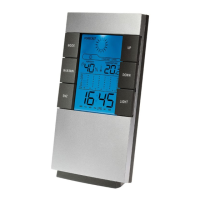
User Manual
1
Thank you to have purchased a product brand Clipsonic Technology. We take great care in design,
ergonomics and simple use of our products. We hope that this product will give you complete satisfaction.
This instruction manual is also available on our website www.clipsonic.com
FEATURES
Measuring temperature range: 0 ~ 50 °C ( 32°F- 122°F)
Measuring humidity range: 30% ~ 90%
Resolution: 1 °C
Display: max/min temperature and humidity records
Calendar: 2001 -2099 year
OPERATION
Press MODE one time to view the calendar
Press MODE one more time to view the alarm
1- SETTING THE TIME
Press and hold MODE for 3 seconds to enter the time setting mode.
The hour digits are blinking and can be set by pressing UP or DOWN for setting hour.
2- Press MODE again:
The minute digits are blinking and can be set by pressing UP or DOWN for setting minute.
3- SETTING THE ALARM
Press MODE to view the alarm time
Press MODE hold for 3 seconds to enter the alarm setting mode.
The hour digits are blinking and can be set by pressing UP or DOWN for setting hour.
Press MODE again:


 To Next Page
 Loading...