User manual
1
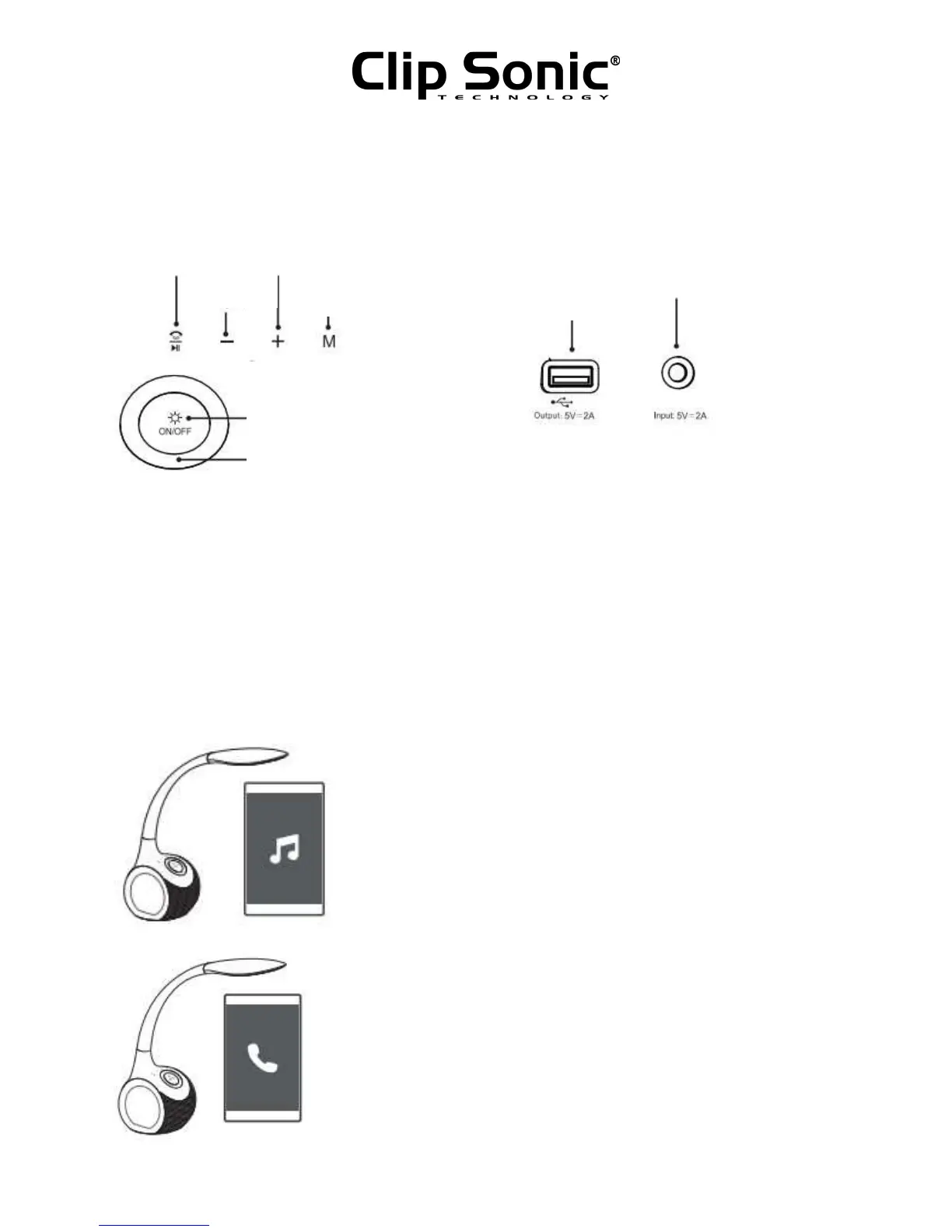
PRODUCT DESCRIPTION
CONNECTION MODE
1. On/Off: Press power key for 2 seconds, then the speaker mode is on.
2. Connect with mobile device: Turn on the mobile device and TES159 speaker’s mode, then
connect TES159 via Bluetooth® on the mobile device.
OPERATION INSTRUCTION
1. Speaker player
Connect your Smartphone with the speaker, then you can control
the speaker by your Smartphone.
Functions on speaker:
- Pressing – shortly : Previous
- Long pressing - : Volume down
- Pressing + shortly : Next
- Long pressing + : Volume up
2. Speakerphone
TES59 speaker has a voice prompt and the music will pause if there is a
phone call coming while your phone is connected with the speaker.
Then, you can press Pause/Call button to answer the call.



 To Next Page