100
M0CZ00007-03
SYSTEM COMPONENT CONFIGURATION
select
22
end of the configuration
select
22
23
select
23
24
24
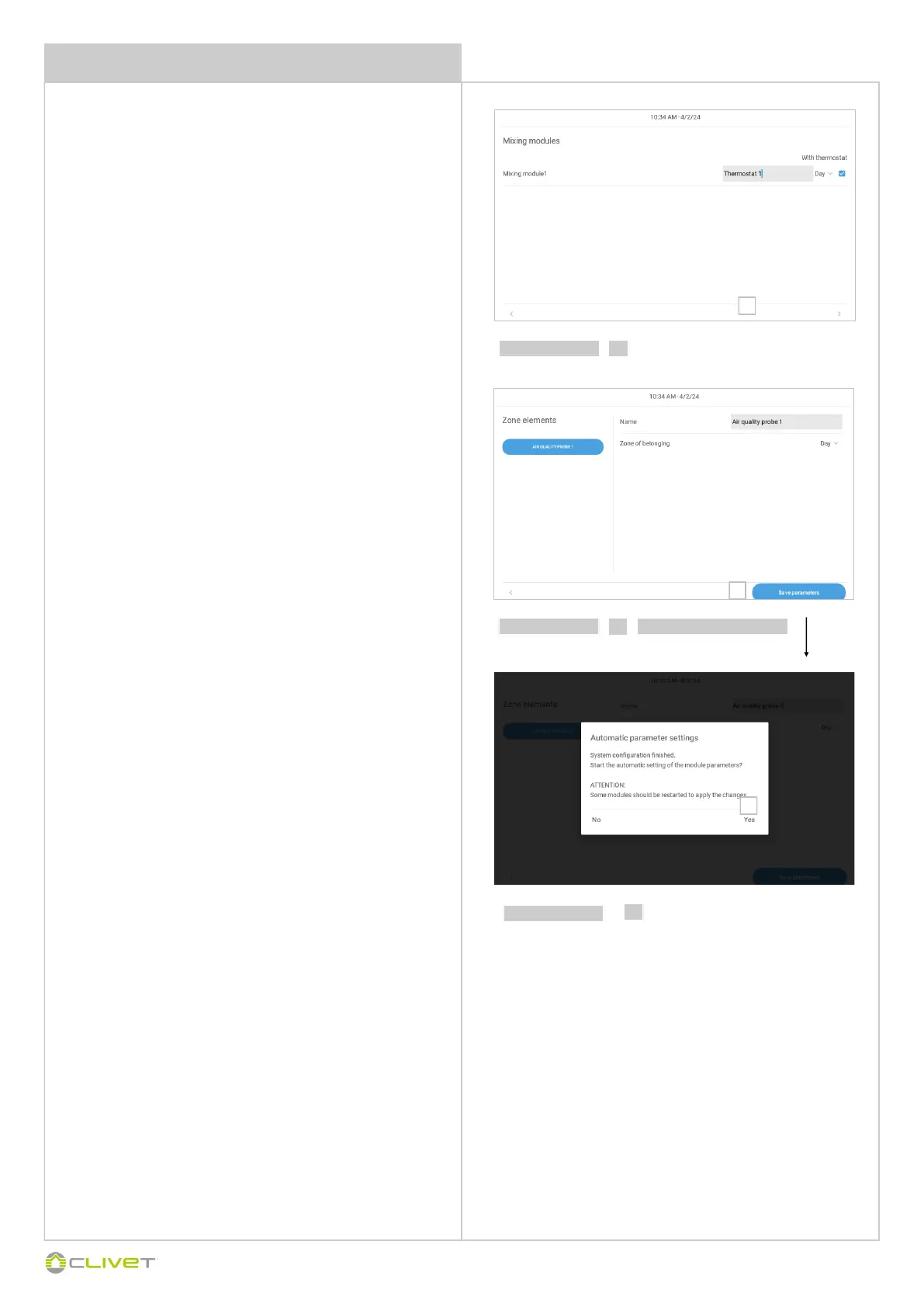
Select:
mix module controlled by the thermostat
assign the area where it is installed
name of the thermostat
Automatic parameter settings
Select YES = the auto-configuration of all elements in the installation
starts (loading of the STD system settings)
Select NO = to maintain any Custom settings on the unit / devices
(reserved only to qualified/specialised personnel )
The auto-configuration may take a few minutes.
It is also possible to enable the auto-configuration also later
(parameter 50 access reserved to installer / ATC)
ATTENTION
The access to parameters or modifications are allowed only to the
installer who assumes all responsibility, in case of doubts please con-
tact Clivet.
For any changes not permitted or not approved by Clivet, the same
declines any responsibility for malfunctions and/or damages to the
unit/system.
Select:
name of the air quality sensor
assign the area where it is installed


 To Next Page
 Loading...