102
M0CZ00007-03
SYSTEM COMPONENT CONFIGURATION
select 3
select 4
select
2
press for 2 sec.
1
3
4
Electricity meter
Address allocation:
170 Energy meter 1 (absorbed)
171 Energy meter 2 (absorbed)
172 Energy meter 3 (Production)
The meter is preconfigured with address 170
Meter address setting:
1. Power up and connect the meter to the CONTROL4 NRG serial
line
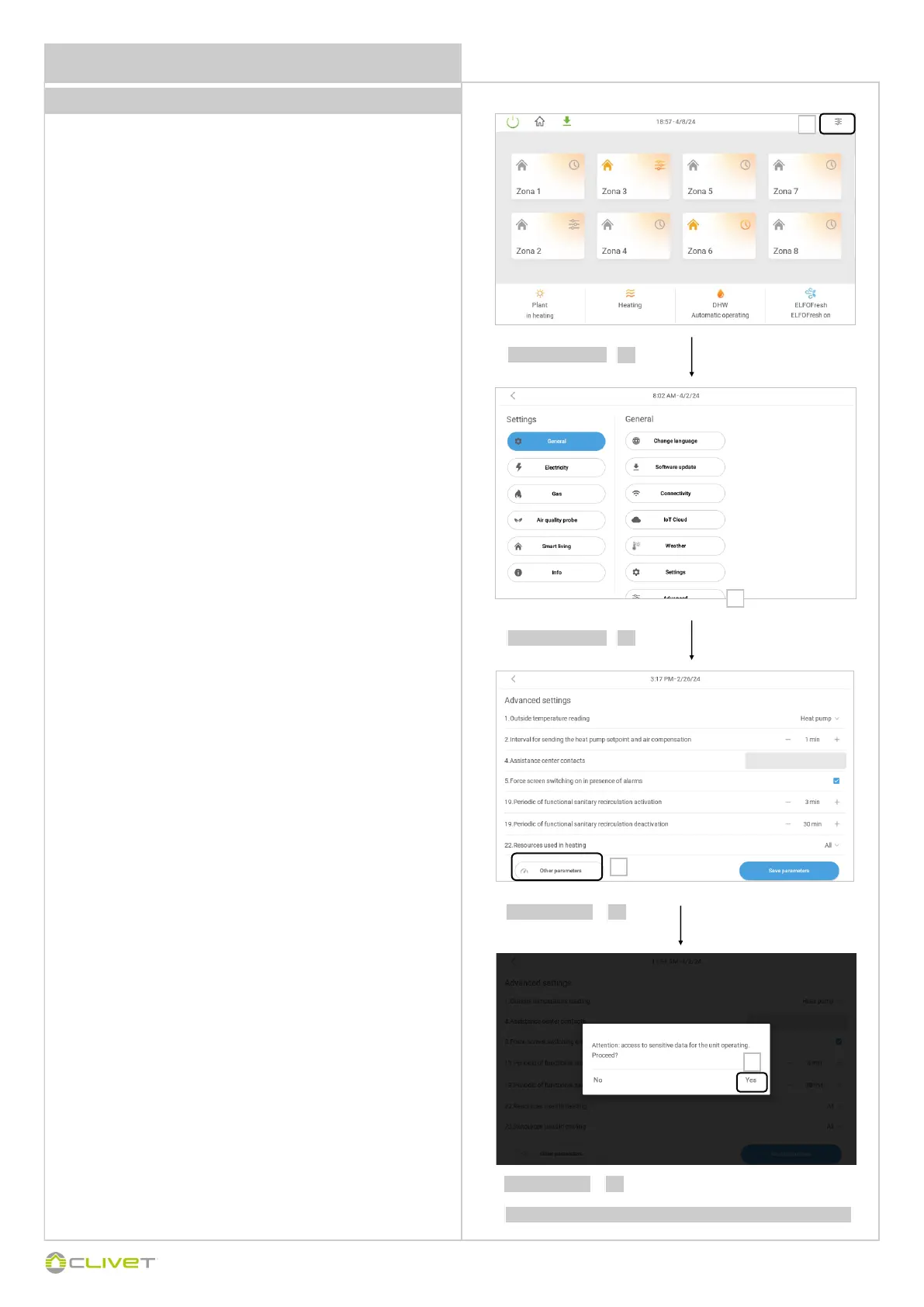
2. Go to the “Other parameters” page of CONTROL4 NRG (See
screenshots opposite)
3. Set Device address field = 170
4. Set Parameter address field = 2
5. Set Enter value field = New Modbus ID (171 or 172)
6. Press the "Write" button
7. Set Parameter address field:
Single-phase model = 251
Three-phase model = 243
8. Set Enter value field = 49600
9. Press the "Write" button
10. Switch the meter off and on again and check for correct addressing
Verification of address change:
1. From the “Other parameters” screen of CONTROL4 NRG:
2. Set Device address field with the new Modbus address (171 or 172
depending on what has been set)
3. Set Parameter address field = 2
4. Press the “Read” button and check that the device responds.
NOTE:
if it is necessary to address more than one meter, only connect one
meter at a time to the serial line to carry out the addressing procedure.
2
2
1
Vedere pag. 110 “Accesso parametri/visualizzazione”


 To Next Page
 Loading...