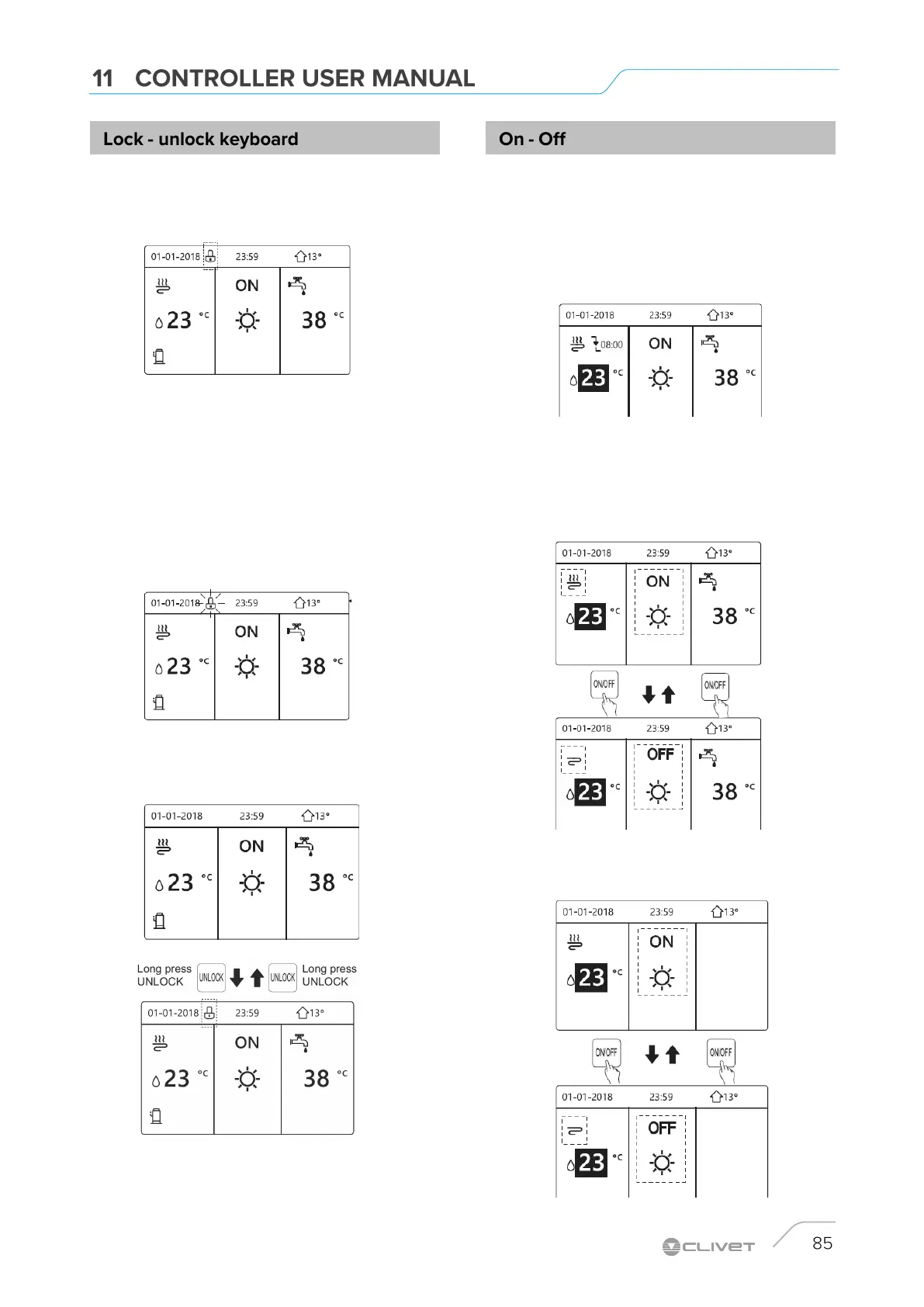
Press any key, the UNLOCK icon will flash.
Long press the "UNLOCK" key.
The icon will disappear, the interface can be checked.
The interface will be locked if there is no handing for a long
time (about 120 seconds:it can be set by the interface, see
SERVICE INFORMATION).
If the UNLOCK icon is on the screen, the controller is locked.
The following page appears
If the interface is unlocked, press and hold UNLOCK to lock it.
Use the UNIT INTERFACE.
It is possible to control the activation / deactivation of the unit
via the interface if AMBIENT THERMOSTAT = NO.
Press LEFT and UP on the home page, the black cursor
appears.
When the cursor is on the temperature of the side of the
ambient operating mode (which provides for HEAT mode,
COOL mode, AUTO mode), press ON-OFF to activate /
deactivate space heating or cooling.
If DHW TYPE = NO, the following pages are displayed:


 To Next Page
 Loading...