This menu is reserved for the installer or the service
technician.
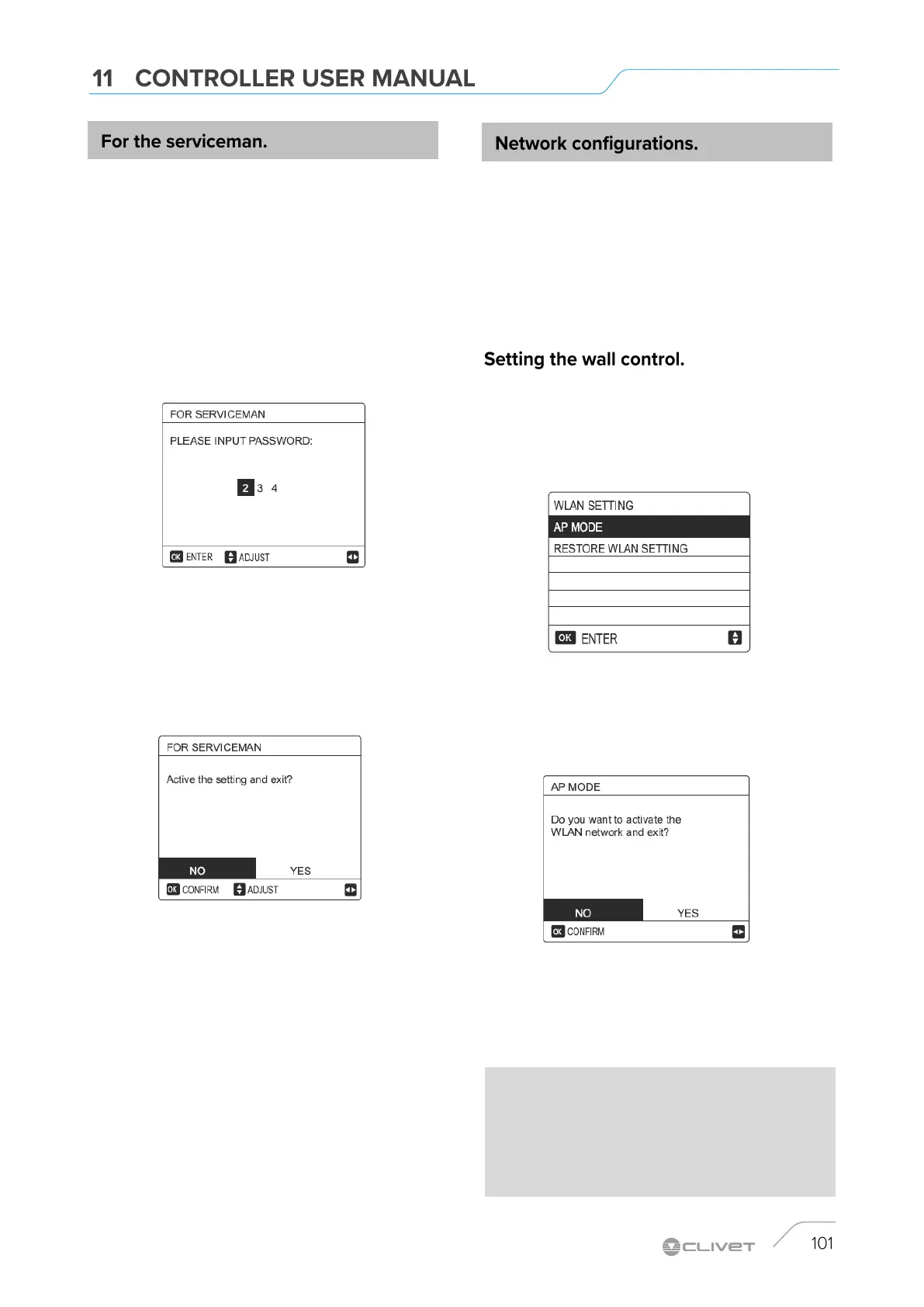
Select MENU> FOR SERVICEMAN.
Press OK.
Home users must NOT change the settings using this menu.
For this reason, a password has been set which prevents
unauthorized access to the service settings.
The password is 234
How to exit the FOR SERVICEMAN menu.
If all the parameters have been set, press BACK.
The following page is displayed:
Select YES and press OK to exit the menu.
After exiting the menu, the unit turns off.
The keyboard has an intelligent control system based on a
built-in module, which receives control signal from the
APP.
Before connecting to the WLAN, check if your router is
active and make sure that the control unit is connected
correctly to receive the wireless signal.
During the wireless connection process, the related icon
flashes to indicate that network implementation is in
progress.
At the end of the process, the icon always remains on.
The parameters of the wall control include the settings for PA
MODE and RESET WLAN SETTINGS.
Activate the WLAN interface.
Select MENU> WLAN SETUP> PA MODE
Press OK.
The following page is displayed:
Use LEFT RIGHT to move to YES.
Press ''OK'' to select PA MODE.
Select the corresponding PA Mode on the mobile device and
continue with subsequent settings based on APP instructions.
CAUTION
After accessing PA Mode, if connection with the mobile phone
has not been established, the Wifi icon flashes for 10 minutes,
then disappears.
If connection with the mobile phone has been established, the
icon is always displayed.


 To Next Page
 Loading...