The unit shall be configured by the installer to match the installation environment (outdoor climate, installed options, etc.) and user
demand.
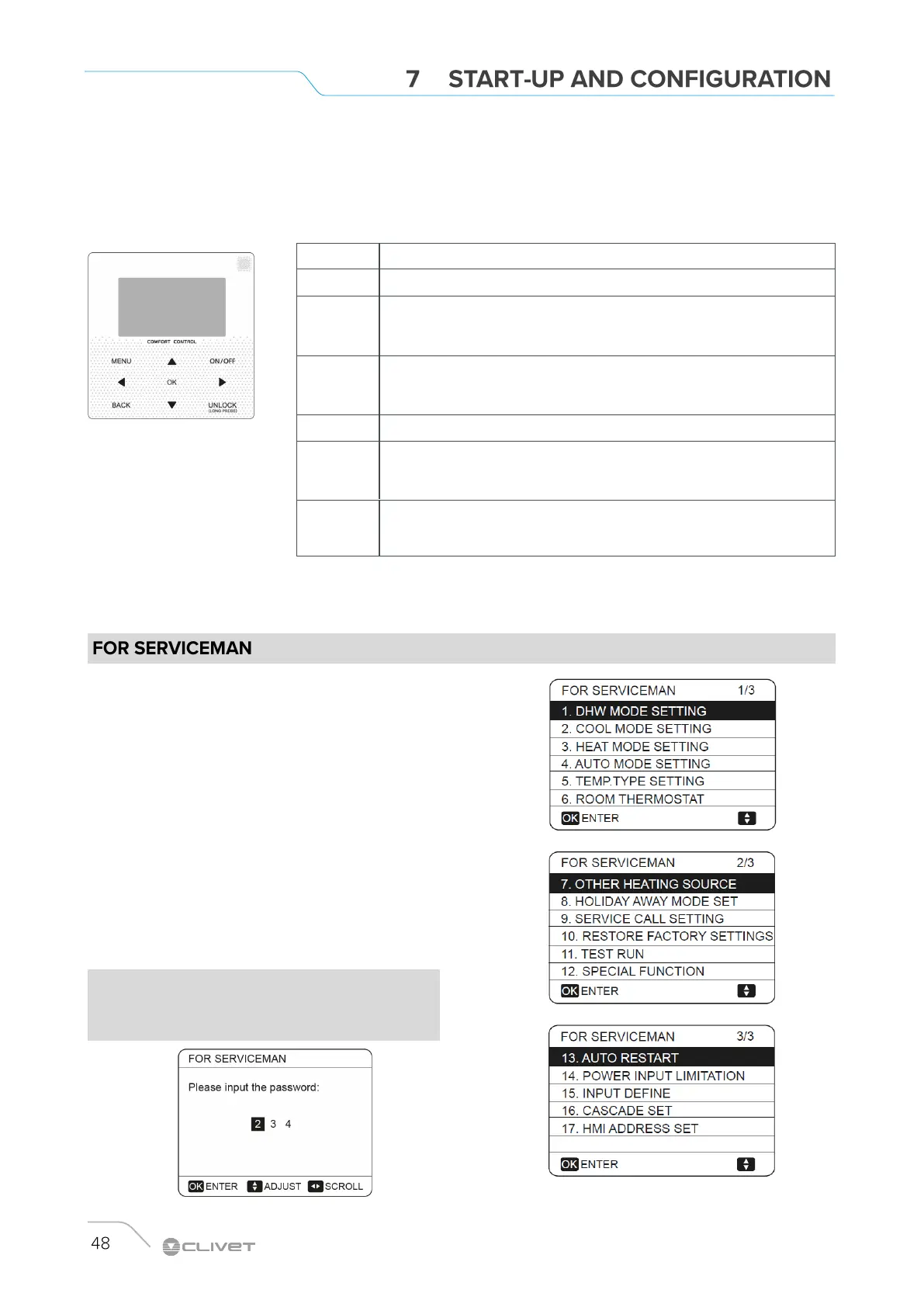
A number of field settings are available. These settings are accessible and programmable through “FOR SERVICEMAN” in user
interface.
FOR SERVICEMAN is designed for the installer to set the
parameter.
Setting the composition of equipment.
Setting the parameter.
How to go to FOR SERVICEMAN
Go to MENU> FOR SERVICEMAN.
Press OK
Use LEFT RIGHT UP DOWN to navigate and to adjust the
numerical value.
Press OK.
The password is 234.
Use UP DOWN to scroll and use “ok” to enter submenu for
setting the parameters.
Keys Function
MENU Go to the menu structure(on the home page)
LEFT RIGHT
UP DOWN
Navigate the cursor on the display
Navigate in the menu structure
Adjust settings
ON/OFF
Turn on/off the space heating/cooling operation or DHW mode
Turn on/or off functions in the menu structure
BACK Come back to the up level
UNLOCK
Long press for unlock /lock the controller
Unlock /lock some functions such as “DHW temperature adjusting ”
OK
Go to the next step when programming a schedule in the menu structure; and
confirm a selection to enter in the submenu of the menu structure.
NOTE
The parameters relating to the functions reserved for
technicians are shown at the end of the chapter.


 To Next Page
 Loading...