Go to MENU > OPERATION MODE - OK
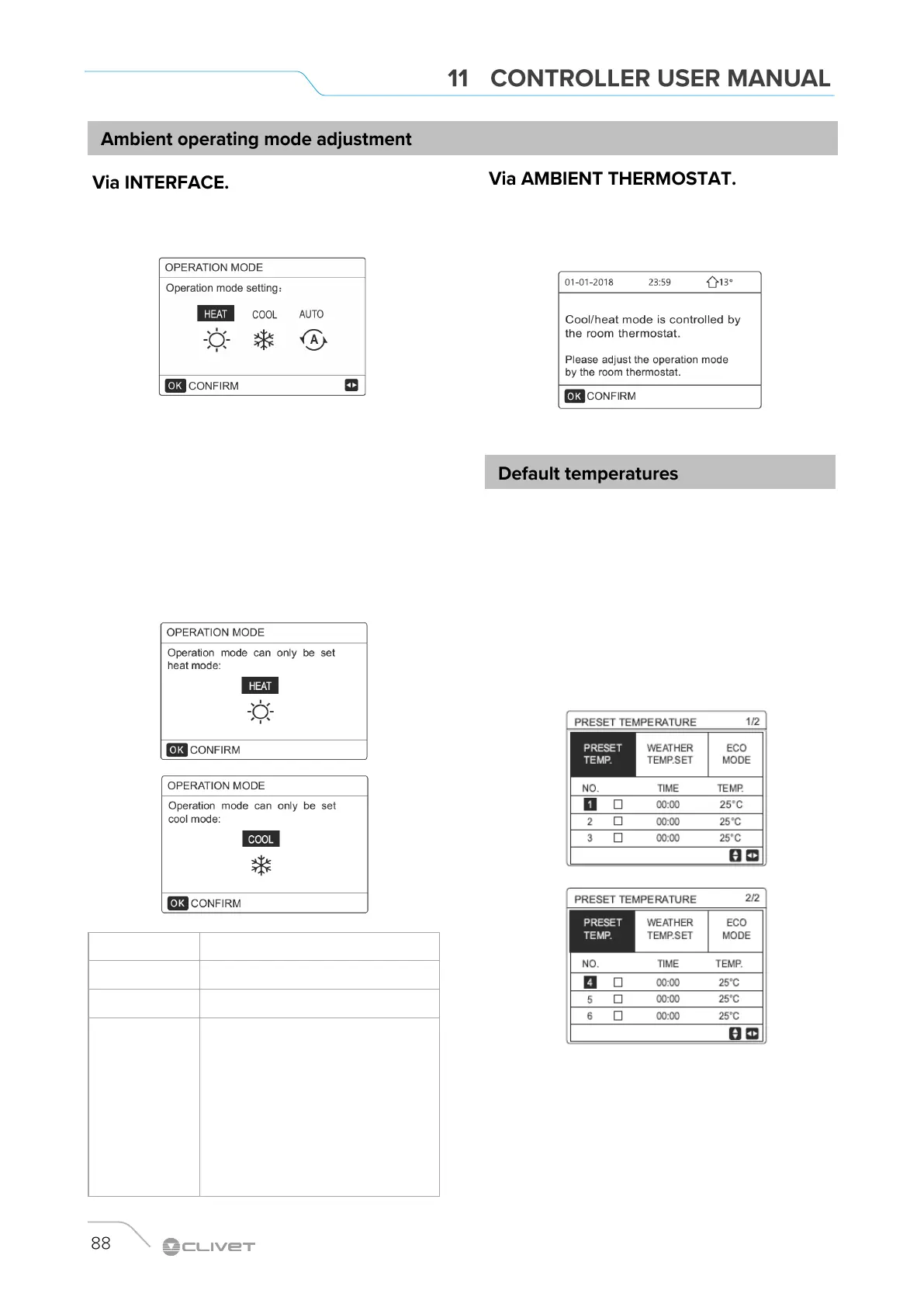
The following page is displayed:
It is possible to select three modes: HEAT mode, COOL
mode, AUTO mode.
Use LEFT and RIGHT to scroll, press OK to select.
If you do not press OK and exit the page using the BACK
button, the mode remains active if the cursor has been moved
to operating mode.
If only the HEAT (COOL) mode is available, the following
page is displayed and the operation mode cannot be
changed.
If you select The ambient operating mode will be:
HEAT Always HEAT mode
COOL Always COOL mode
AUTO
Automatic modification of the setting via
software based on external temperature
(and the external temperature settings
configured by the installer) and according
to monthly limitations.
Automatic modification is only possible
under certain conditions
Go to MENU > OPERATION MODE.
If you press any key, the following page is displayed:
The DEFAULT TEMP. function allows you to set a different
temperature at a different time when the HEAT or COOL
mode is active.
The function is disabled under these conditions:
AUTO mode is active
TIMER or WEEKLY PROGRAM Are running
Set:
MENU> DEFAULT TEMPERATURE> DEFAULT TEMP. =
OK
The following page is displayed:
When the TWO ZONED function is activated, DEFAULT
TEMP. is active only for zone 1.


 To Next Page
 Loading...