
 Need help?
Do you have a question about the Cloner Alliance HDML-Cloner Box Evolve and is the answer not in the manual?
Essential safety precautions to follow before and during the use of the HDML-Cloner Box Evolve.
Lists all items included in the product package for setup and initial use.
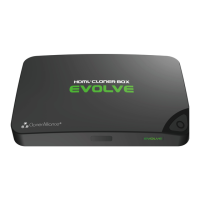
Details the physical components, ports, and remote control of the HDML-Cloner Box Evolve.
Instructions for connecting the device and performing basic video recording to external media.
Guide to setting timed recording tasks and configuring video bitrate for optimized capture.
Steps for installing the HDML-Cloner Pro Helper software and connecting the device to a PC.
Process for registering the software and obtaining the necessary activation code.
Detailed steps for capturing video using the software interface and setting up recording parameters.
Overview of the device's on-screen menu options and their functions.
Common user questions and their solutions for troubleshooting and operational queries.
Technical details including resolutions, format, storage, power, and dimensions.
 General
| Output format | MP4 (H.264) |
|---|---|
| Video standards (Input) | NTSC, PAL |
| Supported disk formats | FAT32, NTFS |
| Maximum storage capacity | Maximum 2TB for a USB flash drive; Maximum 32GB for a TF card |
| Input signals | HDMI1, HDMI2, AV, MIC |
| Output signals | HDMI (pass-through), USB, Micro USB, TF |
| Bitrate | Max: 16Mbps |
| CEC wake-up | Support |
| Power supply | DC 5V/2A |
| Battery required | Two AAA batteries for remote control |
 Weight and Dimensions
| Weight | 3.5 oz |
|---|---|
| Dimensions | 5.12 x 3.35 x 0.63 inches |

 To Next Page