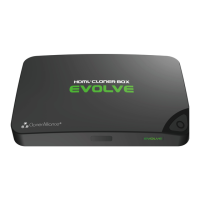
Need help?
Do you have a question about the Cloner Alliance HDML-Cloner Box and is the answer not in the manual?
Connect PS3/PS4 to HDMI-Cloner Box and TV for video recording.
Connect Xbox 360/One to HDMI-Cloner Box and TV for video recording.
Connect Nintendo Wii to HDMI-Cloner Box and TV for video recording.
Connect set-top boxes, PCs, etc., to HDMI-Cloner Box for recording.
Step-by-step guide on how to start and stop video recording.
Explains the meaning of different LED colors and patterns on the device.
Details file saving format, resolution settings, and recording time.
 General
| Video Input | HDMI |
|---|---|
| Video Output | HDMI |
| Recording Format | MP4 |
| Resolution | Up to 1080p |
| Power Supply | 5V/2A |
| Recording Time | Depends on storage capacity |
| Storage Support | USB |
| Supported Formats | MP4, MOV, AVI, MKV |

 To Next Page