CX242: I
NSTALLATION AND OPERATION MANUAL
3
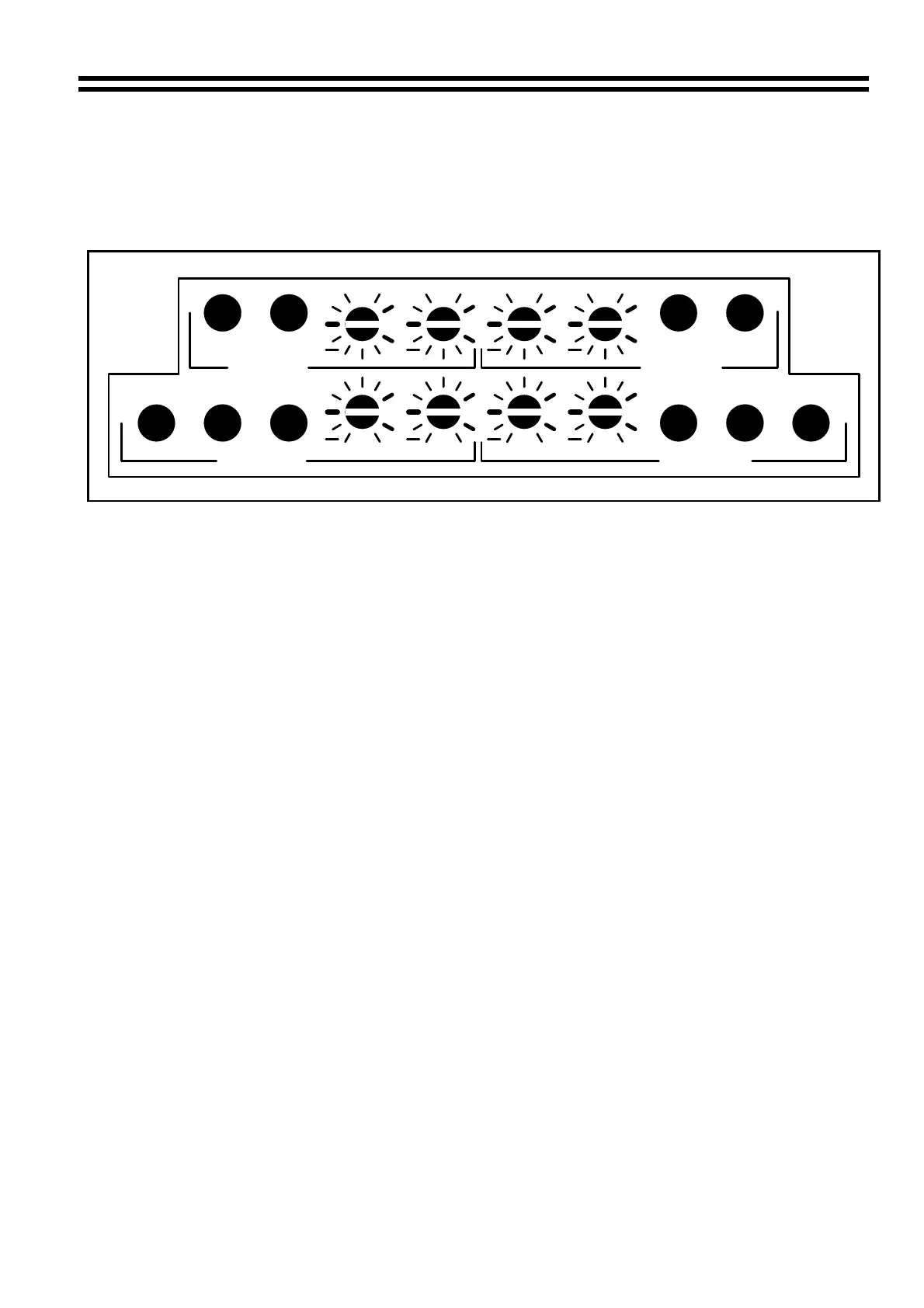
3 Zone Configuration Controls
Pre-set switches and controls protected by the anti-tamper panel:
1
2
3
4
5
6
7
8
18
17
16
15
14
13
12
11
10
9
PR M1
PR M2
Z1 MICS
MONO
L4 PR
0
++
HF
LF
000
REM
Z1 MUSIC Z2 MUSIC
MONO
REM
L4 PR
PR M1
PR M2
HF
LF
HF
LF
LF
HF
0000
++++
+
+
Z2 MICS
1 Mic 1 priority on/off in Zone 1 - Button out = off, button in = on
2 Mic 2 priority on/off in Zone 1 - Button out = off, button in = on
3 Treble control for Zone 1 mic signals - Horizontal position gives flat a response.
4 Bass control for Zone 1 mic signals - horizontal position gives a flat response.
5 Treble control for Zone 2 mic signals - horizontal position gives a flat response.
6 Bass control for Zone 2 mic signals - horizontal position gives a flat response.
7 Mic 1 priority on/off in Zone 2 - Button out = off, button in = on.
8 Mic 2 priority on/off in Zone 2 - Button out = off, button in = on.
9 Remote/local control of Zone 1 music signals. Button out = local,
button in = remote.
10 Stereo/mono switch for Zone 1 music signals. Button out = stereo, button in = mono.
11 Line 4 priority switch for Zone 1. With button in, line 4 overrides other signals.
12 Treble control for Zone 1 music signals. Horizontal position gives flat response.
13 Bass control for Zone 1 music signals. Horizontal position gives flat response.
14 Treble control for Zone 2 music signals. Horizontal position gives flat response.
15 Bass control for Zone 2 music signals. Horizontal position gives flat response.
16 Line 4 priority switch for Zone 2. With button in, line 4 overrides other signals.
17 Stereo/mono switch for Zone 2 music signals. Button out = stereo,
button in = mono.
18 Remote/local control of Zone 2 music signals. Button out = local,
button in = remote.
15/07/02 V4


 To Next Page