!
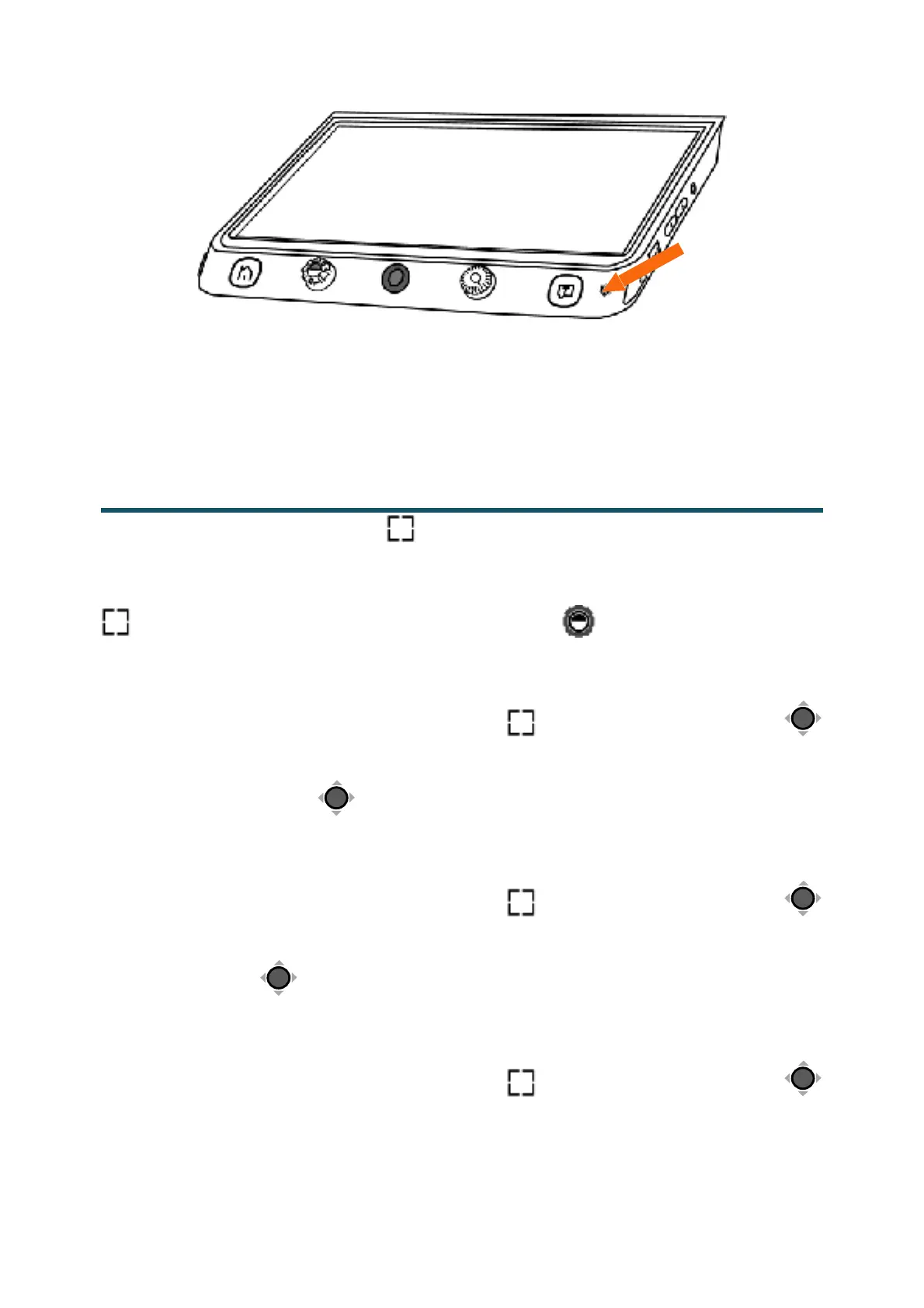
Note: The Voice Record function can be turned off in the Settings
Menu. When the saved images reach to the maximum capacity
(2 GB, Memory Full icon appears), you will need to delete some
pictures first in Playback mode before the next successful saving.
Press the Locate button! to switch among different Reading
Line & Mask modes. The Live-panning function is still available.
When the reading line is available, long press the Locate button
! and rotate the Enhanced Color button! can change the line
color.
● One horizontal line
❑
Press and hold the Locate button! and slide the Joystick!
up/down to change the position of horizontal reading line;
slide the Joystick! left/right to decrease/increase the width of
the line.
● Vertical line
❑
Press and hold the Locate button! and slide the Joystick!
left/right to change the position of vertical reading line;slide
the Joystick! up/down to increase/decrease the width of the
line.
● Horizontal mask
❑
Press and hold the Locate button! and slide the Joystick!
up/down to change the position of the masks;slide the


 To Next Page
 Loading...